Essentials · Angular, React and OpenLayers
Rotate and zoom with Shift and drag
Rotate and scale an OpenLayers map around its centre in one Shift-and-drag mouse gesture with DragRotateAndZoom in Angular and React apps.
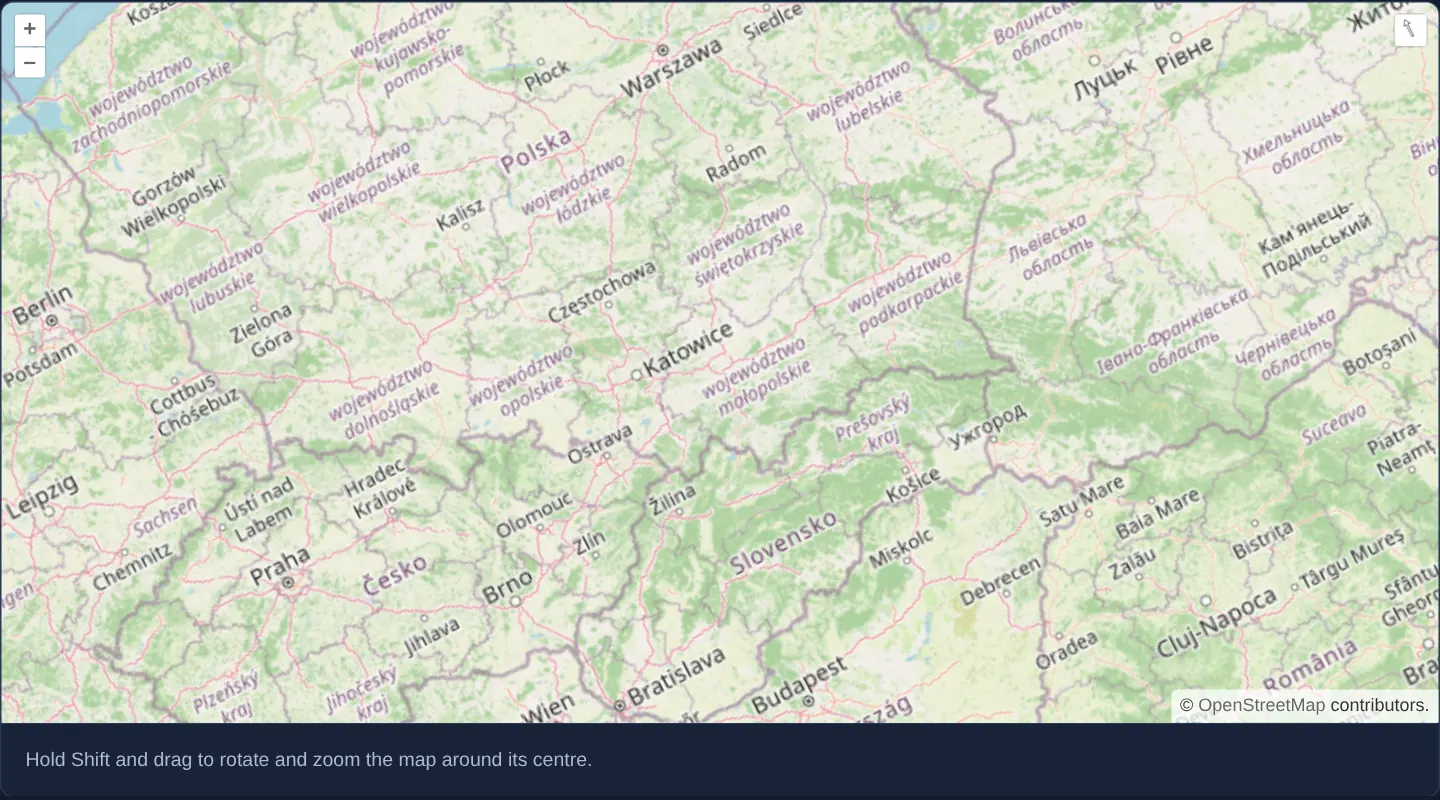
What this example shows
Centred on Kraków over southern Poland with a concise gesture hint beneath the viewport, holding Shift while dragging with the mouse turns and zooms the map simultaneously around the viewport midpoint: dragging around the centre rotates the heading, pulling outward zooms in, and pushing inward zooms out.
Releasing the mouse button lets the view settle smoothly onto its constraints within 400 milliseconds, snapping headings within roughly 5 degrees of true north cleanly back to north-up while showing the top-right compass reset button whenever tilted.
When you need it
Desktop workstations with a mouse or trackball lack two-finger touch pinch-rotate gestures, making combined heading and scale alignment tedious if rotation and zoom require separate modifier shortcuts.
Architects, utility engineers and dispatchers aligning a map with a street grid, railway corridor or site plan can spin and scale the view fluidly in a single Shift-and-drag motion.
The code
The example uses cc-openlayers, my Angular component library for OpenLayers: each aol-… element creates the OpenLayers object it names, updates it from its inputs and disposes of it with the component.
drag-rotate-and-zoom.tsimport { ChangeDetectionStrategy, Component } from '@angular/core';
import {
CoordinateComponent,
DefaultControlComponent,
DefaultInteractionComponent,
DragRotateAndZoomInteractionComponent,
LayerTileComponent,
MapComponent,
SourceOsmComponent,
ViewComponent,
} from 'cc-openlayers';
/** Shift and drag rotates and zooms the map around its centre, with the one drag-rotate-and-zoom interaction. */
@Component({
selector: 'app-drag-rotate-and-zoom',
imports: [
CoordinateComponent,
DefaultControlComponent,
DefaultInteractionComponent,
DragRotateAndZoomInteractionComponent,
LayerTileComponent,
MapComponent,
SourceOsmComponent,
ViewComponent,
],
changeDetection: ChangeDetectionStrategy.OnPush,
template: `
<aol-map height="480px">
<aol-interaction-default />
<aol-interaction-dragrotateandzoom />
<aol-control-defaults />
<aol-view [zoom]="6">
<aol-coordinate [x]="19.9368" [y]="50.0614" srid="EPSG:4326" />
</aol-view>
<aol-layer-tile><aol-source-osm /></aol-layer-tile>
</aol-map>
<div class="example-controls">
<p class="example-hint">Hold Shift and drag to rotate and zoom the map around its centre.</p>
</div>
`,
})
export class DragRotateAndZoom {} The React version uses the library's React adapter, cc-openlayers/react: each component creates the OpenLayers object it names when it mounts, updates it from its props and disposes of it when it unmounts.
drag-rotate-and-zoom.react.tsximport {
Coordinate,
DefaultControls,
DefaultInteractions,
DragRotateAndZoomInteraction,
Map,
OSMSource,
TileLayer,
View,
} from 'cc-openlayers/react';
/** Shift and drag rotates and zooms the map around its centre, with the one drag-rotate-and-zoom interaction. */
export function DragRotateAndZoom() {
return (
<>
<Map height="480px">
<DefaultInteractions />
<DragRotateAndZoomInteraction />
<DefaultControls />
<View zoom={6}>
<Coordinate x={19.9368} y={50.0614} srid="EPSG:4326" />
</View>
<TileLayer>
<OSMSource />
</TileLayer>
</Map>
<div className="example-controls">
<p className="example-hint">Hold Shift and drag to rotate and zoom the map around its centre.</p>
</div>
</>
);
}How the React version works
Shift and a drag rotate and zoom the map around its centre.
What both versions share
OpenLayers renders the map and handles the interactions; the cc-openlayers/core layer gives both adapters the same view binding (MapViewBinding) and the same conversion of coordinates from EPSG:4326 to the map's projection.
From Angular to React
| Angular | React |
|---|---|
<aol-interaction-dragrotateandzoom /> | <DragRotateAndZoomInteraction /> |
Who creates, updates and disposes
Map creates the ol/Map in useLayoutEffect and disposes of it on unmount; each layer, source and interaction component adds its object to the parent it gets from context and removes it in its effect's cleanup, as ngOnDestroy does in Angular.
Architecture and OpenLayers mechanics
Mounting aol-interaction-dragrotateandzoom after aol-interaction-default places DragRotateAndZoom ahead of the default DragZoom box zoom in OpenLayers’ reverse-order event dispatch chain. Because both interactions listen for Shift-modified mouse drags by default, declaring DragRotateAndZoom after the defaults ensures it claims Shift+drag first.
As the pointer moves, OpenLayers compares the vector from the viewport centre to the current pointer pixel against the previous pixel: changes in angle update view rotation, while changes in radial distance scale view resolution.
How it works
aol-interaction-dragrotateandzoomcombines rotation and zooming around the viewport centre while the Shift key is held during mouse drags.- Because OpenLayers offers pointer events to the most recently added interaction first, declaring it after
aol-interaction-defaultoverrides the default Shift-drag box zoom. - When the pointer button is released, view constraints settle over 400 ms and snap headings within 5 degrees of north back to zero.
Pitfalls
- Declaring
aol-interaction-dragrotateandzoombeforeaol-interaction-defaultlets the default DragZoom interaction intercept Shift+drag first, preventing rotation. - This interaction responds to mouse drags only; touch-screen devices already rotate and zoom natively with two-finger pinch gestures.
- Starting a Shift-drag very close to the exact centre pixel produces large angular swings from tiny cursor movements—begin the gesture comfortably away from the midpoint.
Related examples
The same feature in the OpenLayers examples .
Background: state and lifecycle of maps in Angular with OpenLayers, which the components of cc-openlayers take care of.