Essentials · Angular, React and OpenLayers
Zoom with a double click and drag
Add one-handed double-tap-and-drag zooming to an OpenLayers map in Angular and React with DblClickDragZoom ordered after default interactions.
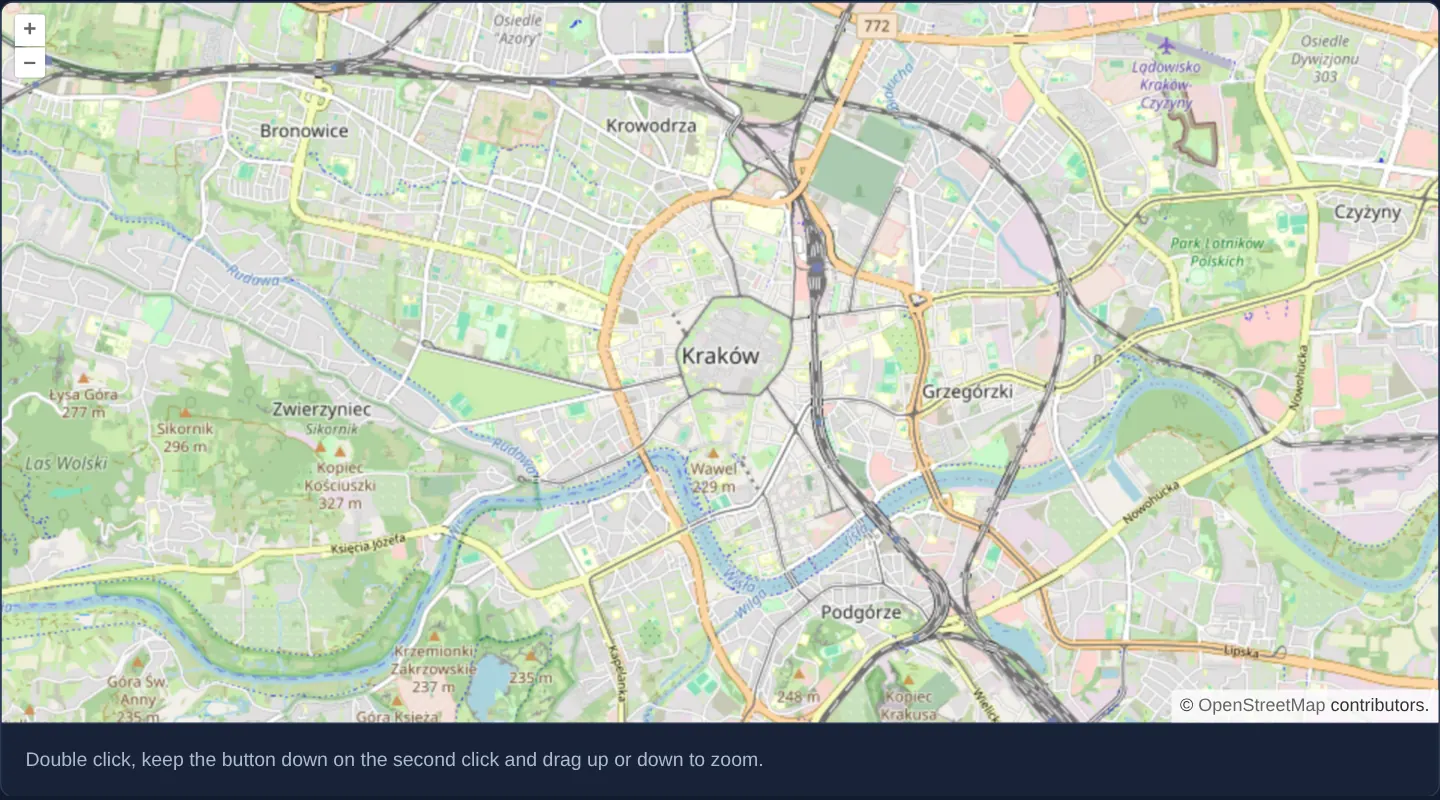
What this example shows
Centred on Kraków at zoom 13 with a concise gesture hint below the viewport, this map enables mobile-style one-handed zooming on both touch screens and desktop mice: double-tap or double-click, keep the second press held down, and slide vertically—upward to zoom in smoothly or downward to zoom out.
A quick double-click without holding and dragging still triggers the familiar single-level zoom-in step.
When you need it
Commuters and field inspectors holding a phone in one hand often cannot perform a two-finger pinch gesture comfortably with a single thumb.
Native mobile map apps popularised the double-tap-hold-slide gesture to solve one-handed continuous zoom; adding OpenLayers’ matching interaction brings that ergonomic muscle memory to mobile web and desktop pointer users alike.
The code
The example uses cc-openlayers, my Angular component library for OpenLayers: each aol-… element creates the OpenLayers object it names, updates it from its inputs and disposes of it with the component.
double-click-drag-zoom.tsimport { ChangeDetectionStrategy, Component } from '@angular/core';
import {
CoordinateComponent,
DblClickDragZoomInteractionComponent,
DefaultControlComponent,
DefaultInteractionComponent,
LayerTileComponent,
MapComponent,
SourceOsmComponent,
ViewComponent,
} from 'cc-openlayers';
/** Zooming with a double click held down and dragged, beside the default interactions. */
@Component({
selector: 'app-double-click-drag-zoom',
imports: [
CoordinateComponent,
DblClickDragZoomInteractionComponent,
DefaultControlComponent,
DefaultInteractionComponent,
LayerTileComponent,
MapComponent,
SourceOsmComponent,
ViewComponent,
],
changeDetection: ChangeDetectionStrategy.OnPush,
template: `
<aol-map height="480px">
<aol-interaction-default />
<aol-interaction-dblclickdragzoom />
<aol-control-defaults />
<aol-view [zoom]="13">
<aol-coordinate [x]="19.9368" [y]="50.0614" srid="EPSG:4326" />
</aol-view>
<aol-layer-tile><aol-source-osm /></aol-layer-tile>
</aol-map>
<div class="example-controls">
<p class="example-hint">Double click, keep the button down on the second click and drag up or down to zoom.</p>
</div>
`,
})
export class DoubleClickDragZoom {} The React version uses the library's React adapter, cc-openlayers/react: each component creates the OpenLayers object it names when it mounts, updates it from its props and disposes of it when it unmounts.
double-click-drag-zoom.react.tsximport {
Coordinate,
DblClickDragZoomInteraction,
DefaultControls,
DefaultInteractions,
Map,
OSMSource,
TileLayer,
View,
} from 'cc-openlayers/react';
/** Zooming with a double click held down and dragged, beside the default interactions. */
export function DoubleClickDragZoom() {
return (
<>
<Map height="480px">
<DefaultInteractions />
<DblClickDragZoomInteraction />
<DefaultControls />
<View zoom={13}>
<Coordinate x={19.9368} y={50.0614} srid="EPSG:4326" />
</View>
<TileLayer>
<OSMSource />
</TileLayer>
</Map>
<div className="example-controls">
<p className="example-hint">
Double click, keep the button down on the second click and drag up or down to zoom.
</p>
</div>
</>
);
}How the React version works
After a double click with the button held, dragging up or down changes the zoom; the interaction joins the default ones.
What both versions share
OpenLayers renders the map and handles the interactions; the cc-openlayers/core layer gives both adapters the same view binding (MapViewBinding) and the same conversion of coordinates from EPSG:4326 to the map's projection.
From Angular to React
| Angular | React |
|---|---|
<aol-interaction-dblclickdragzoom /> | <DblClickDragZoomInteraction /> |
Who creates, updates and disposes
Map creates the ol/Map in useLayoutEffect and disposes of it on unmount; each layer, source and interaction component adds its object to the parent it gets from context and removes it in its effect's cleanup, as ngOnDestroy does in Angular.
Architecture and OpenLayers mechanics
Mounting aol-interaction-dblclickdragzoom after the default interaction set registers OpenLayers’ DblClickDragZoom handler at the top of the event dispatch stack. Because OpenLayers evaluates interactions in reverse registration order (last added, first offered), placing it after defaults lets it claim a second press that arrives within 250 ms before DragPan can start moving the map.
Vertical pointer travel then scales resolution exponentially (~1% per pixel) around the viewport centre while suppressing competing pan events until release.
How it works
aol-interaction-dblclickdragzoommounts OpenLayers’ double-click-drag zoom interaction after the default interaction bundle.- Holding the second press and dragging vertically scales continuously around the map centre—up to zoom in and down to zoom out at roughly 1% per pixel.
- When the second press arrives within 250 ms, the interaction claims pointer events exclusively so DragPan does not shift the map mid-zoom.
- Releasing the second press immediately without dragging falls through to normal double-click zoom-in by one level.
Pitfalls
- Interaction declaration order is critical: placing
aol-interaction-dblclickdragzoombefore default interactions lets DragPan intercept the second press first, causing the map to pan erratically while zooming. - Provide a brief UI hint when desktop users are expected to discover mouse double-click-drag zooming.
Related examples
The same feature in the OpenLayers examples .
Background: state and lifecycle of maps in Angular with OpenLayers, which the components of cc-openlayers take care of.