Essentials · Angular, React and OpenLayers
Map state in the URL with the link interaction
Persist OpenLayers map center, zoom, rotation, layer visibility and custom query parameters in the browser URL using the Link interaction.
What this example shows
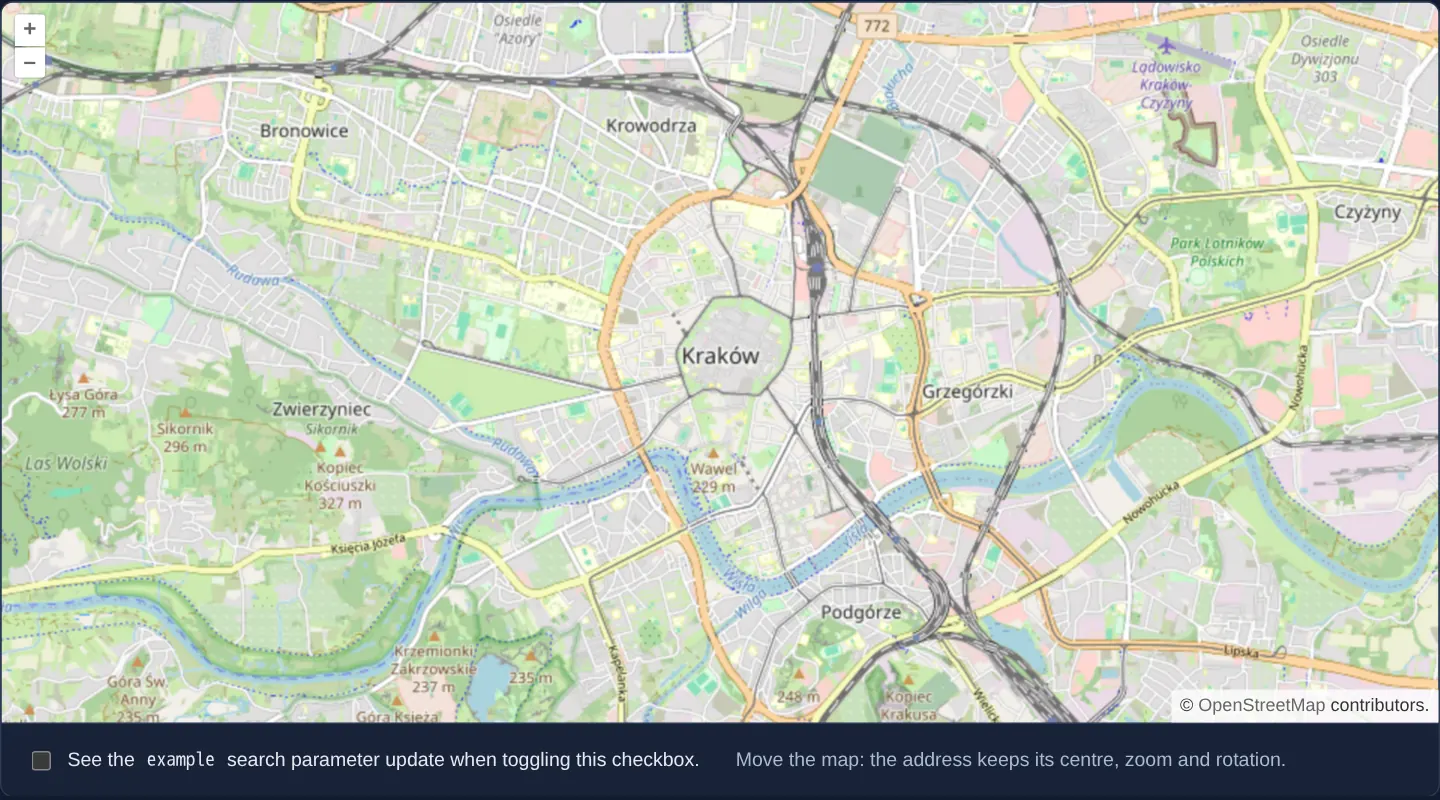
Panning, zooming or rotating the street map of central Kraków updates the browser’s address bar query parameters (x, y, z, r and l) automatically, while a checkbox beneath the map toggles an application-owned example query parameter in that same URL.
Reloading the tab, sharing the link or clicking the browser’s Back and Forward buttons restores both the exact camera state and the custom checkbox state in lockstep.
When you need it
Every collaborative WebGIS tool benefits from shareable deep links: pasting the current URL into a chat or ticket should reopen the exact parcel, zoom scale, layer visibility and UI filter state the sender saw.
OpenLayers’ built-in Link interaction handles map-camera URL encoding and restoration out of the box while exposing hooks so application-specific query parameters live peacefully alongside map coordinates.
The code
The example uses cc-openlayers, my Angular component library for OpenLayers: each aol-… element creates the OpenLayers object it names, updates it from its inputs and disposes of it with the component.
link.tsimport { AfterViewInit, ChangeDetectionStrategy, Component, signal, viewChild } from '@angular/core';
import {
CoordinateComponent,
DefaultControlComponent,
DefaultInteractionComponent,
LayerTileComponent,
LinkInteractionComponent,
MapComponent,
SourceOsmComponent,
ViewComponent,
} from 'cc-openlayers';
/** The view and a checkbox kept in the page address by the link interaction, so a reload or a shared link restores them. */
@Component({
selector: 'app-link',
imports: [
CoordinateComponent,
DefaultControlComponent,
DefaultInteractionComponent,
LayerTileComponent,
LinkInteractionComponent,
MapComponent,
SourceOsmComponent,
ViewComponent,
],
changeDetection: ChangeDetectionStrategy.OnPush,
host: { '(window:popstate)': 'followRemoval()' },
template: `
<aol-map height="480px">
<aol-interaction-default />
<aol-interaction-link />
<aol-control-defaults />
<aol-view [zoom]="13">
<aol-coordinate [x]="19.9368" [y]="50.0614" srid="EPSG:4326" />
</aol-view>
<aol-layer-tile><aol-source-osm /></aol-layer-tile>
</aol-map>
<div class="example-controls">
<label>
<input type="checkbox" [checked]="checked()" (change)="toggle($event)" />
See the <code>example</code> search parameter update when toggling this checkbox.
</label>
<p class="example-hint">Move the map: the address keeps its centre, zoom and rotation.</p>
</div>
`,
})
export class Link implements AfterViewInit {
readonly checked = signal(false);
private readonly link = viewChild.required(LinkInteractionComponent);
/** Reads the parameter from the address and follows its changes (back and forward in the history). */
ngAfterViewInit(): void {
const initial = this.link().instance.track('example', (value) => this.checked.set(value === 'checked'));
this.checked.set(initial === 'checked');
}
/**
* Unchecks the box when the back and forward buttons return to an address without the parameter: since OpenLayers
* 10.11, `track` calls back only when the parameter has a value.
*/
protected followRemoval(): void {
if (!new URL(window.location.href).searchParams.has('example')) this.checked.set(false);
}
/** Writes the parameter into the address; null removes it. */
protected toggle(event: Event): void {
const checked = (event.target as HTMLInputElement).checked;
this.checked.set(checked);
this.link().instance.update('example', checked ? 'checked' : null);
}
} The React version uses the library's React adapter, cc-openlayers/react: each component creates the OpenLayers object it names when it mounts, updates it from its props and disposes of it when it unmounts.
link.react.tsximport { useCallback, useEffect, useRef, useState } from 'react';
import type OLLink from 'ol/interaction/Link.js';
import {
Coordinate,
DefaultControls,
DefaultInteractions,
LinkInteraction,
Map,
OSMSource,
TileLayer,
View,
} from 'cc-openlayers/react';
/** The view and a checkbox kept in the page address by the link interaction, so a reload or a shared link restores them. */
export function Link() {
const [checked, setChecked] = useState(false);
const link = useRef<OLLink | null>(null);
/** Reads the parameter from the address and follows its changes (back and forward in the history). */
const attach = useCallback((instance: OLLink | null) => {
link.current = instance;
if (!instance) return;
const initial = instance.track('example', (value) => setChecked(value === 'checked'));
setChecked(initial === 'checked');
}, []);
/**
* Unchecks the box when the back and forward buttons return to an address without the parameter: since OpenLayers
* 10.11, `track` calls back only when the parameter has a value.
*/
useEffect(() => {
const followRemoval = () => {
if (!new URL(window.location.href).searchParams.has('example')) setChecked(false);
};
window.addEventListener('popstate', followRemoval);
return () => window.removeEventListener('popstate', followRemoval);
}, []);
/** Writes the parameter into the address; null removes it. */
const toggle = (value: boolean) => {
setChecked(value);
link.current?.update('example', value ? 'checked' : null);
};
return (
<>
<Map height="480px">
<DefaultInteractions />
<LinkInteraction ref={attach} />
<DefaultControls />
<View zoom={13}>
<Coordinate x={19.9368} y={50.0614} srid="EPSG:4326" />
</View>
<TileLayer>
<OSMSource />
</TileLayer>
</Map>
<div className="example-controls">
<label>
<input type="checkbox" checked={checked} onChange={(event) => toggle(event.target.checked)} />
See the <code>example</code> search parameter update when toggling this checkbox.
</label>
<p className="example-hint">Move the map: the address keeps its centre, zoom and rotation.</p>
</div>
</>
);
}How the React version works
The Link interaction writes the centre, zoom and rotation into the page address; an extra example parameter holds the checkbox state, so a reload or a shared link restores them.
What both versions share
OpenLayers renders the map and handles the interactions; the cc-openlayers/core layer gives both adapters the same view binding (MapViewBinding) and the same conversion of coordinates from EPSG:4326 to the map's projection. ol/interaction/Link writes the address (track, update).
From Angular to React
| Angular | React |
|---|---|
<aol-interaction-link /> and viewChild(...).instance in ngAfterViewInit | <LinkInteraction ref={attach} />: a callback ref receives the interaction when it is created |
signal(false) | useState(false) |
(window:popstate) in followRemoval | addEventListener('popstate', ...) in a useEffect with cleanup |
Who creates, updates and disposes
Map creates the ol/Map in useLayoutEffect and disposes of it on unmount; each layer, source and interaction component adds its object to the parent it gets from context and removes it in its effect's cleanup, as ngOnDestroy does in Angular. The callback ref calls track for each new interaction instance; under StrictMode the first instance is disposed of together with its listener.
Architecture and OpenLayers mechanics
Mounting aol-interaction-link synchronises view centre, zoom, rotation and layer visibility with URL search parameters on every settled move and hydrates them on initial page load. Custom application state hooks into the same lifecycle via track (reading the initial example parameter after ngAfterViewInit and listening for history updates) and update (setting a string value or passing null to delete the parameter).
To account for OpenLayers 10.11+ behaviour where track does not fire when a tracked key disappears completely on browser Back navigation, a lightweight followRemoval() handler on (window:popstate) keeps UI state accurate when returning to parameter-free URLs.
How it works
aol-interaction-linkpersists camera centre, zoom, rotation and layer visibility in URL query parameters and restores them on page load.trackreads the initialexampleparameter and notifies the component when browser Back/Forward navigation changes its value.updatewrites new parameter values into the address bar, while passingnullremoves the key cleanly.- Initial parameter hydration runs in
ngAfterViewInitonce the underlying OpenLayers interaction instance is ready.
Pitfalls
- Since OpenLayers 10.11,
trackstops invoking its callback when Back navigation removes a parameter entirely from the URL; listening to(window:popstate)withfollowRemoval()prevents stale checked states. - Two maps with active Link interactions on the same page will overwrite each other’s query keys unless each configures a distinct parameter prefix.
- By default each settled pan pushes a new browser history entry; enable the interaction’s replace option when Back should leave the page immediately rather than replaying every pan.
- Because Link mutates the URL directly via the browser History API outside the Angular Router, coordinate router navigation carefully if both manage query parameters.
Related examples
The same feature in the OpenLayers examples .
Background: state and lifecycle of maps in Angular with OpenLayers, which the components of cc-openlayers take care of.