Essentials · Angular, React and OpenLayers
A permalink in the URL hash
Store and restore OpenLayers zoom, center and rotation in a custom #map=zoom/x/y/rotation URL hash using Angular Location and browser history.
What this example shows
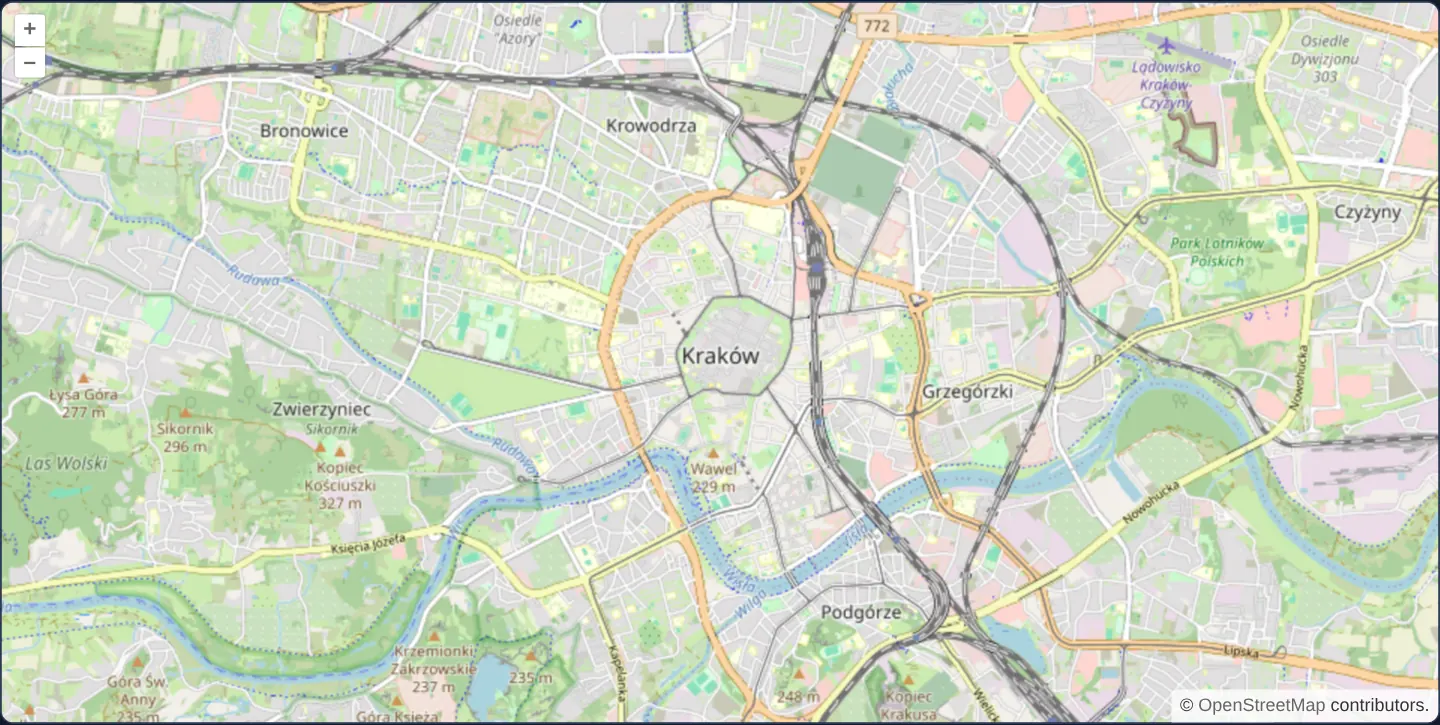
Centred on Kraków at zoom 13, this map writes its camera state into a compact #map=zoom/x/y/rotation fragment in the browser’s URL hash whenever a pan, zoom or rotation finishes.
Opening a bookmarked hash URL starts the map directly at that saved viewpoint, and clicking the browser’s Back and Forward buttons steps smoothly through your recent camera positions without creating duplicate history loops.
When you need it
When an application’s router already owns ?query parameters for search filters or authentication—or when you must stay compatible with classic #map=z/x/y GIS permalink conventions—storing map state in the URL fragment avoids query-string collisions.
Implementing the hash sync directly through Angular’s Location service gives you full control over coordinate precision, projection choice, delimiter syntax and whether moves push new history entries or replace the current one.
The code
The example uses cc-openlayers, my Angular component library for OpenLayers: each aol-… element creates the OpenLayers object it names, updates it from its inputs and disposes of it with the component.
permalink.tsimport { Location } from '@angular/common';
import { ChangeDetectionStrategy, Component, DestroyRef, inject, viewChild } from '@angular/core';
import {
CoordinateComponent,
DefaultControlComponent,
DefaultInteractionComponent,
LayerTileComponent,
MapComponent,
SourceOsmComponent,
ViewComponent,
} from 'cc-openlayers';
interface MapState {
zoom: number;
center: number[];
rotation: number;
}
/** The view's zoom, centre and rotation kept in the URL hash with the History API, restored on load and on back. */
@Component({
selector: 'app-permalink',
imports: [
CoordinateComponent,
DefaultControlComponent,
DefaultInteractionComponent,
LayerTileComponent,
MapComponent,
SourceOsmComponent,
ViewComponent,
],
changeDetection: ChangeDetectionStrategy.OnPush,
template: `
<aol-map height="480px" (moveEnd)="updatePermalink()">
<aol-interaction-default />
<aol-control-defaults />
<aol-view [zoom]="start.zoom" [rotation]="start.rotation">
<aol-coordinate [x]="start.center[0]" [y]="start.center[1]" />
</aol-view>
<aol-layer-tile><aol-source-osm /></aol-layer-tile>
</aol-map>
`,
})
export class Permalink {
private readonly location = inject(Location);
private readonly view = viewChild.required(ViewComponent);
protected readonly start = restore(this.location.path(true));
constructor() {
const subscription = this.location.subscribe((event) => {
const state = event.state as MapState | null;
if (state === null || typeof state !== 'object') return;
const view = this.view().instance;
view.setCenter(state.center);
view.setZoom(state.zoom);
view.setRotation(state.rotation);
});
inject(DestroyRef).onDestroy(() => subscription.unsubscribe());
}
protected updatePermalink(): void {
const view = this.view().instance;
const center = view.getCenter() as number[];
const zoom = view.getZoom() as number;
const rotation = view.getRotation();
const hash = `#map=${zoom.toFixed(2)}/${center[0].toFixed(2)}/${center[1].toFixed(2)}/${rotation}`;
// A view set by the history already has its hash; a second entry would break going back.
if (this.location.path(true).endsWith(hash)) return;
const path = this.location.path(false);
this.location.go(path + hash, '', { zoom, center, rotation } satisfies MapState);
}
}
/** The state of a `#map=zoom/x/y/rotation` hash, or Kraków at zoom 13 when the path has none. */
function restore(path: string): MapState {
const parts = path.split('#map=')[1]?.split('/') ?? [];
if (parts.length === 4) {
const [zoom, x, y, rotation] = parts.map(parseFloat);
return { zoom, center: [x, y], rotation };
}
return { zoom: 13, center: [2219354, 6456916], rotation: 0 };
} The React version uses the library's React adapter, cc-openlayers/react: each component creates the OpenLayers object it names when it mounts, updates it from its props and disposes of it when it unmounts.
permalink.react.tsximport { useCallback, useEffect, useRef, useState } from 'react';
import type OLView from 'ol/View.js';
import { Coordinate, DefaultControls, DefaultInteractions, Map, OSMSource, TileLayer, View } from 'cc-openlayers/react';
interface MapState {
zoom: number;
center: number[];
rotation: number;
}
/** The view's zoom, centre and rotation kept in the URL hash with the History API, restored on load and on back. */
export function Permalink() {
const view = useRef<OLView>(null);
const [start] = useState(() => restore(currentPath(true)));
useEffect(() => {
const onPopState = (event: PopStateEvent) => {
const state = event.state as MapState | null;
if (state === null || typeof state !== 'object') return;
const current = view.current;
if (!current) return;
current.setCenter(state.center);
current.setZoom(state.zoom);
current.setRotation(state.rotation);
};
window.addEventListener('popstate', onPopState);
return () => window.removeEventListener('popstate', onPopState);
}, []);
const updatePermalink = useCallback(() => {
const current = view.current;
if (!current) return;
const center = current.getCenter() as number[];
const zoom = current.getZoom() as number;
const rotation = current.getRotation();
const hash = `#map=${zoom.toFixed(2)}/${center[0].toFixed(2)}/${center[1].toFixed(2)}/${rotation}`;
// A view set by the history already has its hash; a second entry would break going back.
if (currentPath(true).endsWith(hash)) return;
window.history.pushState({ zoom, center, rotation } satisfies MapState, '', currentPath(false) + hash);
}, []);
return (
<Map height="480px" onMoveEnd={updatePermalink}>
<DefaultInteractions />
<DefaultControls />
<View ref={view} zoom={start.zoom} rotation={start.rotation}>
<Coordinate x={start.center[0]} y={start.center[1]} />
</View>
<TileLayer>
<OSMSource />
</TileLayer>
</Map>
);
}
/** The page address with its hash, or without it. */
function currentPath(includeHash: boolean): string {
return window.location.pathname + window.location.search + (includeHash ? window.location.hash : '');
}
/** The state of a `#map=zoom/x/y/rotation` hash, or Kraków at zoom 13 when the path has none. */
function restore(path: string): MapState {
const parts = path.split('#map=')[1]?.split('/') ?? [];
if (parts.length === 4) {
const [zoom, x, y, rotation] = parts.map(parseFloat);
return { zoom, center: [x, y], rotation };
}
return { zoom: 13, center: [2219354, 6456916], rotation: 0 };
}How the React version works
The zoom, centre and rotation go into the hash #map=zoom/x/y/rotation through the History API; loading the page and the back button restore the view.
What both versions share
OpenLayers renders the map and handles the interactions; the cc-openlayers/core layer gives both adapters the same view binding (MapViewBinding) and the same conversion of coordinates from EPSG:4326 to the map's projection. The restore function that reads the hash is the same in both versions.
From Angular to React
| Angular | React |
|---|---|
Location from @angular/common (path, go, subscribe) | window.location, history.pushState and the popstate event |
the start field computed once | useState(() => restore(...)), computed on the first render |
a Location subscription and DestroyRef | useEffect with a popstate listener and its removal |
Who creates, updates and disposes
Map creates the ol/Map in useLayoutEffect and disposes of it on unmount; each layer, source and interaction component adds its object to the parent it gets from context and removes it in its effect's cleanup, as ngOnDestroy does in Angular. The initial state is computed once, so later renders do not reset the view to the values in the address.
Architecture and OpenLayers mechanics
Before the map view mounts, restore parses #map=zoom/x/y/rotation from location.path(true) so initial view signals start at the requested coordinates on the very first render. Whenever a gesture finishes, the component formats zoom and projected Web Mercator coordinates to two decimal places and pushes the new fragment via location.go—skipping the push if the URL already carries that exact hash.
Subscribing to location.subscribe listens for browser popstate events (Back and Forward buttons), parses the historical hash entry and updates the view signals without re-pushing a duplicate history record.
How it works
restoreparses#map=zoom/x/y/rotationfromlocation.path(true)during initialisation so deep links open at the target viewpoint immediately.- On every settled move,
location.gorecords the updated hash with zoom and Web Mercator centre rounded to two decimal places. location.subscribereacts to browser Back and Forward navigation and moves the view back to the historical hash state.- Comparing the formatted hash before calling
location.goprevents history-triggered camera moves from pushing duplicate entries and breaking Back navigation.
Pitfalls
- Pushing a new history entry on every pan makes the Back button step through dozens of map drags; swap
location.gofor replaceState when Back should navigate to the previous page instead. - Storing raw Web Mercator metres in
#map=zoom/x/y/rotationties saved links to EPSG:3857; convert to WGS84 longitude/latitude degrees if links must survive future projection changes. - Validate parsed hash numbers defensively, for example with Number.isFinite, so malformed user-edited hashes fall back gracefully to default coordinates.
Related examples
The same feature in the OpenLayers examples .
Background: state and lifecycle of maps in Angular with OpenLayers, which the components of cc-openlayers take care of.