Interactions · Angular, React and OpenLayers
Snap to the middle of segments
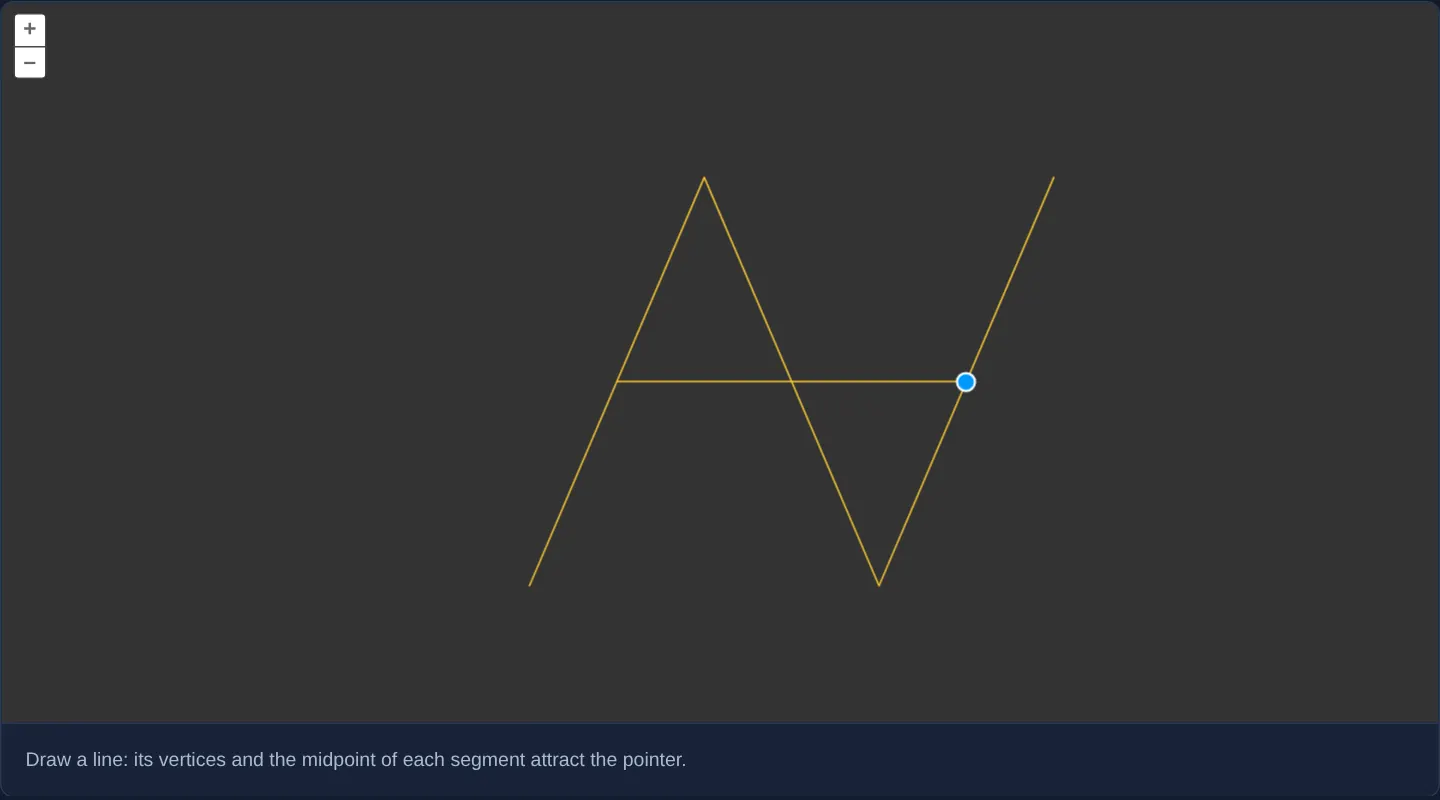
Snap drawn and edited lines in OpenLayers to exact segment midpoints as well as vertices and edges using a custom Snap segmenters function.
What this example shows
On a dark background canvas, drawing or modifying lines snaps your cursor not only to existing endpoints and anywhere along segment edges, but also locks crisply onto the exact geometric midpoint of every segment.
When you need it
CAD-style site drafting, T-junction utility service taps, perpendicular bisectors and architectural parcel splits regularly connect straight into the exact midpoint of an existing wall, pipe or lot line.
OpenLayers’ custom segmenters option injects synthetic snap points—midpoints, quarter-points or offset anchors—directly into Snap’s spatial index without cluttering your vector source with dummy helper features.
The code
The example uses cc-openlayers, my Angular component library for OpenLayers: each aol-… element creates the OpenLayers object it names, updates it from its inputs and disposes of it with the component.
snap-custom-segmenter.tsimport { ChangeDetectionStrategy, Component } from '@angular/core';
import type { Coordinate } from 'ol/coordinate';
import type LineString from 'ol/geom/LineString';
import type { Segment } from 'ol/interaction/Snap';
import {
CoordinateComponent,
DefaultControlComponent,
DefaultInteractionComponent,
LayerVectorComponent,
MapComponent,
SourceVectorComponent,
ViewComponent,
} from 'cc-openlayers';
import { DrawInteractionComponent, ModifyInteractionComponent, SnapInteractionComponent } from 'cc-openlayers/editing';
/** Lines drawn and modified on a dark map, with a custom segmenter making the midpoint of each segment snap too. */
@Component({
selector: 'app-snap-custom-segmenter',
imports: [
CoordinateComponent,
DefaultControlComponent,
DefaultInteractionComponent,
DrawInteractionComponent,
LayerVectorComponent,
MapComponent,
ModifyInteractionComponent,
SnapInteractionComponent,
SourceVectorComponent,
ViewComponent,
],
changeDetection: ChangeDetectionStrategy.OnPush,
template: `
<aol-map height="480px">
<aol-interaction-default />
<aol-control-defaults />
<aol-view [zoom]="13"><aol-coordinate [x]="19.9368" [y]="50.0614" srid="EPSG:4326" /></aol-view>
<aol-layer-vector background="#333" [style]="style">
<aol-source-vector #source />
</aol-layer-vector>
<aol-interaction-modify [source]="source.instance" />
<aol-interaction-draw type="LineString" [source]="source.instance" />
<aol-interaction-snap [source]="source.instance" [segmenters]="segmenters" />
</aol-map>
<div class="example-controls">
<p class="example-hint">Draw a line: its vertices and the midpoint of each segment attract the pointer.</p>
</div>
`,
})
export class SnapCustomSegmenter {
protected readonly style = { 'stroke-color': '#ffcc33' };
/** Each segment of a line snaps as itself and as its midpoint, a segment of one point. */
protected readonly segmenters = {
LineString: (geometry: LineString): Segment[] => {
const segments: Segment[] = [];
geometry.forEachSegment((start: Coordinate, end: Coordinate) => {
segments.push([start, end], [[(start[0] + end[0]) / 2, (start[1] + end[1]) / 2]]);
});
return segments;
},
};
} The React version uses the library's React adapter, cc-openlayers/react: each component creates the OpenLayers object it names when it mounts, updates it from its props and disposes of it when it unmounts.
snap-custom-segmenter.react.tsximport { useState } from 'react';
import type { Coordinate as OLCoordinate } from 'ol/coordinate.js';
import type LineString from 'ol/geom/LineString.js';
import type { Segment } from 'ol/interaction/Snap.js';
import type OLVectorSource from 'ol/source/Vector.js';
import type { FlatStyle } from 'ol/style/flat.js';
import {
Coordinate,
DefaultControls,
DefaultInteractions,
DrawInteraction,
Map,
ModifyInteraction,
SnapInteraction,
VectorLayer,
VectorSource,
View,
} from 'cc-openlayers/react';
const style: FlatStyle = { 'stroke-color': '#ffcc33' };
/** Each segment of a line snaps as itself and as its midpoint, a segment of one point. */
const segmenters = {
LineString: (geometry: LineString): Segment[] => {
const segments: Segment[] = [];
geometry.forEachSegment((start: OLCoordinate, end: OLCoordinate) => {
segments.push([start, end], [[(start[0] + end[0]) / 2, (start[1] + end[1]) / 2]]);
});
return segments;
},
};
/** Lines drawn and modified on a dark map, with a custom segmenter making the midpoint of each segment snap too. */
export function SnapCustomSegmenter() {
const [source, setSource] = useState<OLVectorSource | null>(null);
return (
<>
<Map height="480px">
<DefaultInteractions />
<DefaultControls />
<View zoom={13}>
<Coordinate x={19.9368} y={50.0614} srid="EPSG:4326" />
</View>
<VectorLayer background="#333" style={style}>
<VectorSource ref={setSource} />
</VectorLayer>
{source ? (
<>
<ModifyInteraction source={source} />
<DrawInteraction type="LineString" source={source} />
<SnapInteraction source={source} segmenters={segmenters} />
</>
) : null}
</Map>
<div className="example-controls">
<p className="example-hint">Draw a line: its vertices and the midpoint of each segment attract the pointer.</p>
</div>
</>
);
}How the React version works
Lines drawn and modified on a dark map, with a custom segmenter that makes the midpoint of each segment a snap target too.
What both versions share
OpenLayers renders the map and handles the interactions; the cc-openlayers/core layer gives both adapters the same view binding (MapViewBinding) and the same conversion of coordinates from EPSG:4326 to the map's projection. The snap interaction is rendered after the draw and modify interactions in both versions, because OpenLayers lets the last added interaction handle a pointer event first. The segmenter is a module constant in both versions.
From Angular to React
| Angular | React |
|---|---|
viewChild of the source handed to the interactions | ref={setSource} into useState; the interactions render once the adapter has made the source |
<aol-interaction-snap [segmenters]> | <SnapInteraction segmenters> with the module constant |
Who creates, updates and disposes
Map creates the ol/Map in useLayoutEffect and disposes of it on unmount; each layer, source and interaction component adds its object to the parent it gets from context and removes it in its effect's cleanup, as ngOnDestroy does in Angular.
Architecture and OpenLayers mechanics
Passing a LineString handler inside segmenters overrides how aol-interaction-snap decomposes lines into snap primitives while leaving polygons and points at their defaults. Walking the line with forEachSegment, the function emits both the full two-point [start, end] edge segment and a degenerate single-coordinate [[midX, midY]] entry—which OpenLayers’ Snap interaction treats as a high-priority vertex point target.
Mounting Snap last in the template after Modify and Draw applies midpoint snapping to both new sketches and vertex drags.
How it works
- Custom
segmentersoverride segment decomposition forLineStringgeometries while keeping default snapping for other types. - Using
forEachSegment, each segment yields both[start, end](edge snapping) and a single-point midpoint entry (point snapping). - Placing Snap after Modify and Draw on the shared source enables midpoint snapping during both drawing and editing.
- Yellow flat-styled lines stand out clearly against the dark layer
background.
Pitfalls
- A custom segmenter replaces OpenLayers’ default segmenter for that geometry type completely—always include
[start, end]alongside your custom midpoint in the returned array, otherwise normal edge snapping along the segment disappears. - An in-progress sketch is not added to the vector source until finished, so its own uncommitted segments become midpoint snap targets only after completion.
Related examples
The same feature in the OpenLayers examples .
Background: state and lifecycle of maps in Angular with OpenLayers, which the components of cc-openlayers take care of.