Tile and image services · Angular, React and OpenLayers
Tiles described by TileJSON
Configure an OpenLayers XYZ raster layer dynamically at runtime from a TileJSON metadata document supplying URLs, zoom bounds and credits.
What this example shows
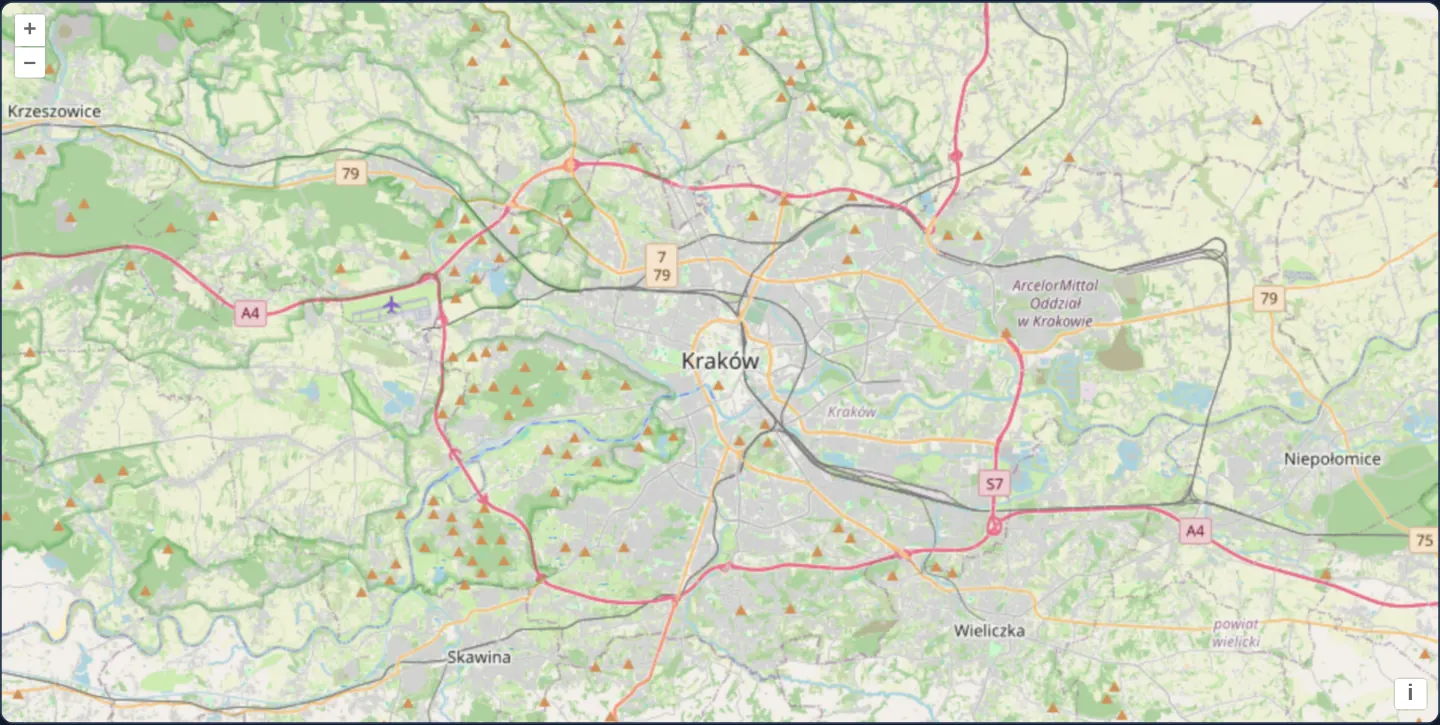
A street map of Kraków and surrounding towns initialises its tile template URLs, supported zoom limits and copyright attribution entirely from an external TileJSON descriptor document rather than hardcoding endpoint strings in component code.
When you need it
Self-hosted tile servers (TileServer-GL, Martin, Tegola) and commercial providers (MapTiler, Mapbox) publish TileJSON endpoints so client apps can rotate CDN domains, update data attributions or adjust available zoom levels on the server without redeploying frontend code.
Pointing OpenLayers at the metadata URL keeps configuration DRY across web, mobile and desktop clients.
The code
The example uses cc-openlayers, my Angular component library for OpenLayers: each aol-… element creates the OpenLayers object it names, updates it from its inputs and disposes of it with the component.
tile-json.tsimport { ChangeDetectionStrategy, Component } from '@angular/core';
import {
CoordinateComponent,
DefaultControlComponent,
DefaultInteractionComponent,
LayerTileComponent,
MapComponent,
SourceTileJSONComponent,
ViewComponent,
} from 'cc-openlayers';
/** A tile layer described by a TileJSON document. */
@Component({
selector: 'app-tile-json',
imports: [
CoordinateComponent,
DefaultControlComponent,
DefaultInteractionComponent,
LayerTileComponent,
MapComponent,
SourceTileJSONComponent,
ViewComponent,
],
changeDetection: ChangeDetectionStrategy.OnPush,
template: `
<aol-map height="480px">
<aol-interaction-default />
<aol-control-defaults />
<aol-view [zoom]="11"><aol-coordinate [x]="19.9368" [y]="50.0614" srid="EPSG:4326" /></aol-view>
<aol-layer-tile><aol-source-tilejson url="/assets/tilejson.json" /></aol-layer-tile>
</aol-map>
`,
})
export class TileJson {} The React version uses the library's React adapter, cc-openlayers/react: each component creates the OpenLayers object it names when it mounts, updates it from its props and disposes of it when it unmounts.
tile-json.react.tsximport {
Coordinate,
DefaultControls,
DefaultInteractions,
Map,
TileJSONSource,
TileLayer,
View,
} from 'cc-openlayers/react';
/** A tile layer described by a TileJSON document. */
export function TileJson() {
return (
<Map height="480px">
<DefaultInteractions />
<DefaultControls />
<View zoom={11}>
<Coordinate x={19.9368} y={50.0614} srid="EPSG:4326" />
</View>
<TileLayer>
<TileJSONSource url="/assets/tilejson.json" />
</TileLayer>
</Map>
);
}How the React version works
A tile layer created from a local TileJSON document that gives the URLs and the level range.
What both versions share
OpenLayers renders the map and handles the interactions; the cc-openlayers/core layer gives both adapters the same view binding (MapViewBinding) and the same conversion of coordinates from EPSG:4326 to the map's projection.
From Angular to React
| Angular | React |
|---|---|
<aol-source-tilejson [url]> | <TileJSONSource url> |
Who creates, updates and disposes
Map creates the ol/Map in useLayoutEffect and disposes of it on unmount; each layer, source and interaction component adds its object to the parent it gets from context and removes it in its effect's cleanup, as ngOnDestroy does in Angular.
Architecture and OpenLayers mechanics
Mounting aol-source-tilejson with a url triggers an asynchronous JSON fetch on startup. Once parsed, OpenLayers automatically configures its internal XYZ tile pyramid from the document’s tiles URL array, minzoom and maxzoom bounds, and pipes attribution straight into the map’s attribution control.
How it works
aol-source-tilejsonfetches the remote or local TileJSON manifest fromurland configurestiles,minzoomandmaxzoomautomatically.- The manifest’s
attributionfield populates OpenLayers’ attribution widget without duplicating legal strings in TypeScript. - Any compliant TileJSON 2/3 raster endpoint plugs into the exact same component wrapper.
Pitfalls
- Because metadata loads asynchronously before any tile URLs are known, the layer renders nothing until the JSON fetch succeeds—observe source state (ready / error) if you want to surface network or API-key errors in the UI.
- Standard TileJSON
tilestemplates assume{z}/{x}/{y}addressing; services with non-standard URL schemes require custom tileUrlFunction handling instead.
Related examples
The same feature in the OpenLayers examples .
Background: state and lifecycle of maps in Angular with OpenLayers, which the components of cc-openlayers take care of.