An Angular modernization checklist: from NgModules to standalone, signals and zoneless
The useful part
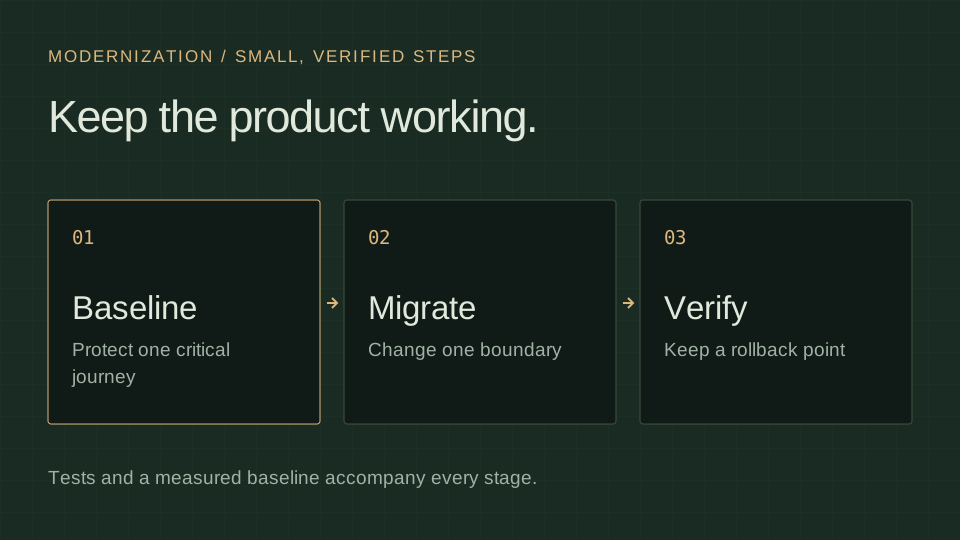
Modernize one boundary at a time. Keep a critical user journey, a verification step and a rollback point attached to each change.
An established Angular application can contain several generations of code: NgModules from the first year, a few standalone components from last spring, a service with subjects beside a component with signals, and tests whose coverage needs to be established. Modernizing such a code base is not one migration. It is a sequence of small ones, each with a check that proves the product still works. This is the order I use, and the pitfalls of each step.
0. Decide what "done" means
Write down the target before touching the code: which Angular version, standalone everywhere or only for new code, signals for inputs and state, zoneless or not, one workspace or several. The target changes the order. A product that will stay on Zone.js for another year does not need step 7, and a product that will move to Nx should do it before the libraries are extracted, not after.
Record the target in a decisions register with the reasons. Modernizations outlive the people who started them.
1. A baseline you can trust
Before changing a critical journey, establish how you will detect a regression:
- Measure coverage and look at the uncovered areas rather than at the number. On my own product the thresholds are 80 % statements, 70 % branches, 75 % functions and 80 % lines; they are a project-specific regression guard, not a universal quality score.
- Investigate flaky tests. Preserve the failing evidence; retries can help diagnosis but must not silently turn an unstable check into acceptance.
- Add a fast gate that runs on every push: lint, unit tests, build. Mine takes about four minutes; if yours takes forty, fix that first, because every later step will be pushed dozens of times.
- Bite-check the tests that guard the areas you are about to change: break the code on purpose, watch the test fail, restore it.
2. Strict TypeScript and lint boundaries
Plan strict TypeScript and strictTemplates alongside the upgrade. In a large legacy application, use bounded steps: enabling both globally can create a separate migration. Establish the errors first, fix an agreed area and keep unsafe casts out of the acceptance criteria.
Then make the architecture visible to the tooling. In an Nx workspace that is @nx/enforce-module-boundaries with tags per project; in a plain CLI workspace it can be ESLint no-restricted-imports. The rule set should say which layer may import which. Later steps will move code between layers, and a lint error is cheaper than a review comment.
3. Framework upgrades, one major at a time
Use ng update for each major version in order, with the official schematics, in its own commit, with a green gate between them. Check the supported Node.js, TypeScript and RxJS ranges for each stop. The official update guide describes the supported path between versions.
Pitfalls:
- Third-party libraries that pin a framework range. Check them before starting; an unmaintained library is a decision to make now, not in the middle of the upgrade.
- Deprecated APIs that still compile. Read the update guide for each version and grep for what it lists.
- The test runner. Moving from Karma to Vitest or Jest is its own step and should not share a commit with a framework upgrade.
4. Standalone components and the new control flow
Run the standalone migration schematic (ng generate @angular/core:standalone) in its three passes: convert components, remove unnecessary modules, bootstrap the application without a root module. Then the control flow migration (@angular/core:control-flow) replaces *ngIf, *ngFor and *ngSwitch with @if, @for and @switch.
Pitfalls:
- Modules that hid a real dependency. After the migration a component imports what it uses; a template that compiled only because a module imported everything will now list twenty imports. That list is information: it tells you which components should be split.
@forrequires atrackexpression. Choose a stable identifier; index tracking is suitable for a static list, but a reordered or editable list needs stable identity so the DOM and input state follow the correct record.- Lazy routes.
loadComponentandloadChildrenwith route arrays replace lazy modules; check that guards and resolvers moved with them.
5. Inputs, outputs and reactive state
The authoring API migrations (@angular/core:signal-input-migration, output-migration, signal-queries-migration) convert decorators to input(), output(), viewChild() and friends. These APIs also work with NgModule-based components; standalone is not a prerequisite. output() emits events and is not itself a signal. Review migration skips and read the notes for your target Angular version.
Then the part no schematic does: state. A service that exposes a BehaviorSubject can expose a signal and a computed instead. Use signals for synchronous state and derivation where they fit. Keep RxJS where cancellation, debouncing or combining event streams is useful; signals do not require replacing every observable or HTTP flow. toSignal and toObservable bridge the two at the boundary.
Pitfalls:
inject()is only valid in an injection context: Angular-created constructors and field initializers, DI factories and the synchronous body ofrunInInjectionContext. An arbitrary helper, render callback or click handler does not gain an injection context automatically.- Effects are for synchronising with the outside world (a map, a chart, local storage), not for deriving state. Derived state is a
computed. An effect that writes to a signal that another effect reads is a loop waiting to happen. - Getters in templates that recompute on every change detection become
computed()which caches its result and recomputes lazily when a tracked dependency changes and the result is read again.
6. Check change-detection notifications
For an older application, making components OnPush-compatible helps expose reliance on incidental change detection. It is not a prerequisite for zoneless. Angular 22 makes OnPush the default for new components; an upgraded application can still contain explicit strategies preserved by the migration.
Check external callbacks, in-place input mutations and dynamically hosted components. A signal consumed by the template, AsyncPipe or markForCheck() can notify Angular. Do not apply one strategy blindly to a library that hosts other teams’ components.
7. Zoneless, for the version you target
Zoneless is the default in Angular 21 and later. Check whether provideZoneChangeDetection() deliberately overrides it. Angular 20 applications opt in with provideZonelessChangeDetection(). Remove Zone.js from build and test polyfills once the application and its dependencies are ready.
Exercise the critical user journeys before switching an existing product. TestBed runs zoneless when Zone.js is absent; an explicit provider can force that mode when Zone.js is still loaded.
- Test real notifications. Prefer updating state and awaiting
fixture.whenStable()for a scheduled render. Forcingfixture.detectChanges()after every update can mask a missing notification. Zone-basedfakeAsyncandtickare not a substitute for a zoneless test environment. - Check external callbacks. OpenLayers events and other non-Angular listeners need a supported notification when they change template state. The map lifecycle article gives a concrete boundary.
- Keep compatible library bridges.
NgZone.run()andrunOutsideAngular()can remain, especially in libraries also used by Zone.js applications. Replace reliance ononStableandonMicrotaskEmpty; those are not zoneless render-completion signals.
8. Forms
Reactive forms remain supported. Programmatic form updates do not automatically notify a zoneless view: connect observable form state to a signal or another supported notification when the template depends on it. If a form is being rebuilt anyway, Signal Forms (@angular/forms/signals) provide signal-based form state and validation. Reusable layouts are a separate application or library concern. GeoAtlas uses them with shared layouts and form definitions; the decision is per form, not per application.
9. Nx, if several applications share code
When two or more applications share components or services, the shared code belongs in libraries with one job each, in one workspace, with boundaries enforced by lint and tests run only for the affected projects. Doing this after steps 4 and 5 is far easier than before: standalone components and signal inputs move between projects without dragging a module graph behind them.
Example: modernize one search screen
Scope: convert the screen to standalone, then move its local filter state to signals in a separate change. Keep the RxJS request pipeline that cancels an obsolete search.
Acceptance: a slower response to the previous query cannot replace the current result; the loading, empty and error states remain visible; selection still identifies the same record.
Rollback: keep each stage independently revertible. Agree the browser journeys before changing the framework APIs.
10. Keep the gates and the register
The modernization ends with the same two artifacts it started with: a gate that runs on every push and a decisions register that says why the code looks the way it does. Both are what the next person inherits. The product itself, my own GeoAtlas, illustrates the target architecture, not a measured before-and-after migration of a client application: Angular 22.1 without Zone.js, Signal Forms, an Nx workspace with three layers and lint-enforced boundaries, the dated test inventory linked in the case study. Treat those counts as a snapshot, not evidence that any other product will migrate in the same time.
If you would like this sequence applied to your application, the modernization service page describes how a first stage starts.
Sources and scope
Framework guidance was checked on 2 October 2026. The GeoAtlas case study illustrates a target architecture, not a before-and-after client migration.