Essentials · Angular, React and OpenLayers
A map in a custom element
Encapsulate a reusable OpenLayers map inside a standard browser Custom Element with clean connect and disconnect lifecycles in Angular and React.
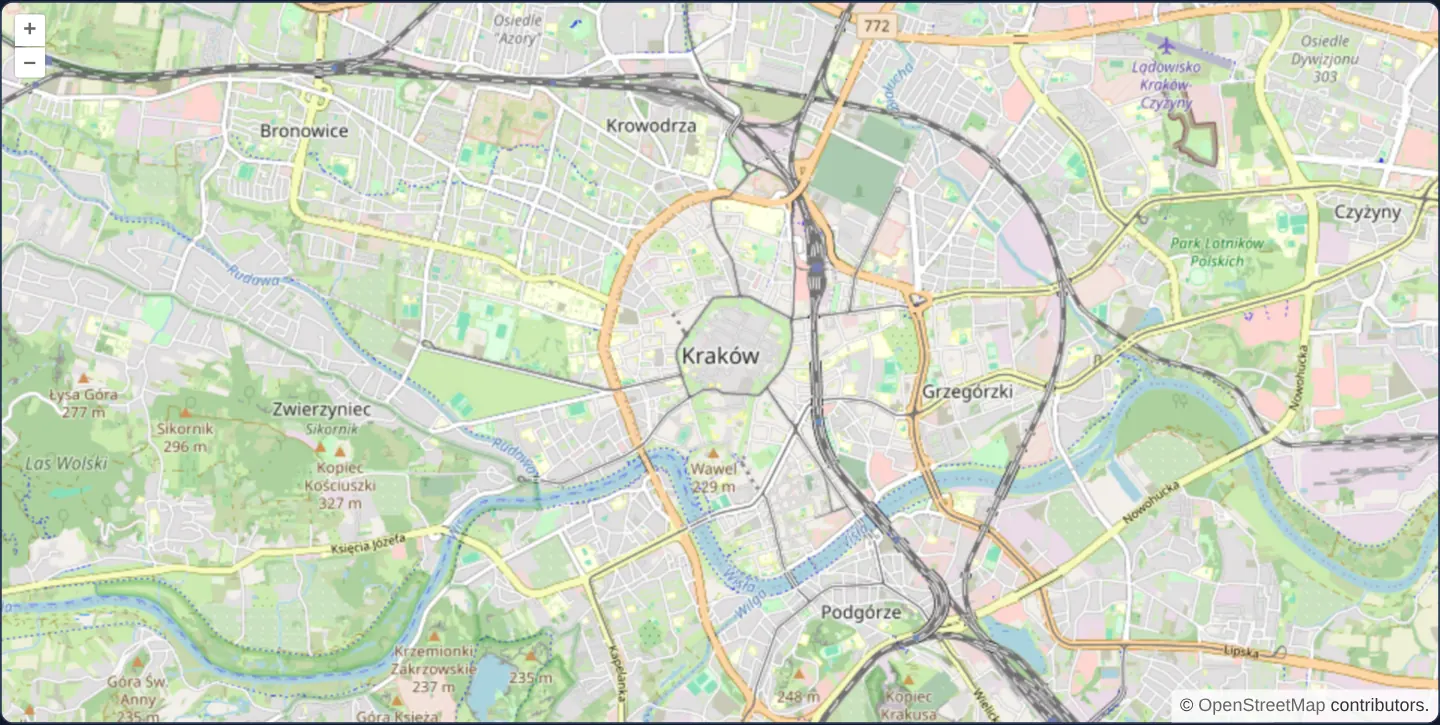
What this example shows
An interactive OpenStreetMap view mounts inside custom HTML Web Component tags—<cc-gallery-map> on the Angular tab and <cc-gallery-react-map> on the React tab—demonstrating Angular Elements integration alongside a framework-free native HTMLElement subclass using public OpenLayers APIs on the React tab.
When you need it
Micro-frontend architectures, CMS embeds, documentation portals and polyglot enterprise suites often publish one self-contained <company-map> Web Component consumed across Angular, React, Vue and static HTML pages.
Defining strict connectedCallback and disconnectedCallback map lifecycle rules prevents duplicate custom-element registration errors and memory leaks.
The code
The example uses cc-openlayers, my Angular component library for OpenLayers: each aol-… element creates the OpenLayers object it names, updates it from its inputs and disposes of it with the component.
custom-map-content.css:host {
display: block;
}custom-map-content.html<aol-map
height="480px"
[ariaLabel]="accessible() ? 'Map of Kraków' : null"
[role]="accessible() ? 'region' : null"
[ariaDescribedBy]="accessible() ? 'keyboard-help' : null"
>
<aol-interaction-default /><aol-control-defaults />
<aol-view [zoom]="13"><aol-coordinate [x]="19.9368" [y]="50.0614" srid="EPSG:4326" /></aol-view>
<aol-layer-tile><aol-source-osm /></aol-layer-tile>
</aol-map>
@if (accessible()) {
<p id="keyboard-help">Use arrow keys to pan and + or − to zoom.</p>
}es2015-custom-element.angular.tsimport { booleanAttribute, ChangeDetectionStrategy, Component, type EnvironmentInjector, input } from '@angular/core';
import { createCustomElement } from '@angular/elements';
import {
CoordinateComponent,
DefaultControlComponent,
DefaultInteractionComponent,
LayerTileComponent,
MapComponent,
SourceOsmComponent,
ViewComponent,
} from 'cc-openlayers';
import { createShadowMapHost } from './es2015-custom-element.shared';
@Component({
selector: 'app-custom-map-content',
imports: [
CoordinateComponent,
DefaultControlComponent,
DefaultInteractionComponent,
LayerTileComponent,
MapComponent,
SourceOsmComponent,
ViewComponent,
],
changeDetection: ChangeDetectionStrategy.OnPush,
templateUrl: './custom-map-content.html',
styleUrl: './custom-map-content.css',
})
export class CustomMapContent {
readonly accessible = input(false, { transform: booleanAttribute });
}
const injectors = new Map<string, EnvironmentInjector>();
/** The outer element keeps its shadow root; each connection owns a fresh Angular Element. */
export function registerAngularMapElement(tag: string, injector: EnvironmentInjector, accessible = false): void {
injectors.set(tag, injector);
if (customElements.get(tag)) return;
const contentTag = `${tag}-content`;
const AngularElement = createCustomElement(CustomMapContent, { injector });
customElements.define(contentTag, AngularElement);
customElements.define(
tag,
class extends HTMLElement {
private readonly shadow = createShadowMapHost(this);
private content?: HTMLElement;
connectedCallback(): void {
if (this.content) return;
this.content = new AngularElement(injectors.get(tag));
if (accessible) this.content.setAttribute('accessible', '');
this.shadow.append(this.content);
}
disconnectedCallback(): void {
this.content?.remove();
this.content = undefined;
}
}
);
}es2015-custom-element.html<cc-gallery-map />es2015-custom-element.shared.tsimport OLMap from 'ol/Map';
import View from 'ol/View';
import TileLayer from 'ol/layer/Tile';
import OSM from 'ol/source/OSM';
import { fromLonLat } from 'ol/proj';
/** Each custom element keeps its own shadow stylesheet and map target. */
export function createShadowMapHost(host: HTMLElement): ShadowRoot {
const shadow = host.attachShadow({ mode: 'open' });
const link = document.createElement('link');
link.rel = 'stylesheet';
link.href = new URL('assets/ol.css', document.baseURI).href;
const style = document.createElement('style');
style.textContent =
':host{display:block;min-height:480px}.map{height:480px;width:100%}.map:focus-visible{outline:3px solid #329cff;outline-offset:-3px}';
shadow.append(link, style);
return shadow;
}
/** Native custom element used by the React wrapper; resources follow DOM connection. */
export function registerNativeMapElement(tag: string, accessible = false): void {
if (customElements.get(tag)) return;
customElements.define(
tag,
class extends HTMLElement {
private readonly shadow = createShadowMapHost(this);
private map?: OLMap;
private target?: HTMLDivElement;
connectedCallback(): void {
if (this.map) return;
const target = document.createElement('div');
target.className = 'map';
if (accessible) {
target.tabIndex = 0;
target.setAttribute('role', 'region');
target.setAttribute('aria-label', 'Map of Kraków');
target.setAttribute('aria-describedby', 'keyboard-help');
const help = document.createElement('p');
help.id = 'keyboard-help';
help.textContent = 'Use arrow keys to pan and + or − to zoom.';
this.shadow.append(help);
}
this.shadow.prepend(target);
this.target = target;
this.map = new OLMap({
keyboardEventTarget: target,
layers: [new TileLayer({ source: new OSM() })],
view: new View({ center: fromLonLat([19.9368, 50.0614]), zoom: 13 }),
});
this.map.setTarget(target);
}
disconnectedCallback(): void {
this.map?.dispose();
this.map = undefined;
this.target?.remove();
this.target = undefined;
this.shadow.querySelector('#keyboard-help')?.remove();
}
}
);
}es2015-custom-element.tsimport { ChangeDetectionStrategy, Component, CUSTOM_ELEMENTS_SCHEMA, EnvironmentInjector, inject } from '@angular/core';
import { registerAngularMapElement } from './es2015-custom-element.angular';
@Component({
selector: 'app-es2015-custom-element',
schemas: [CUSTOM_ELEMENTS_SCHEMA],
changeDetection: ChangeDetectionStrategy.OnPush,
templateUrl: './es2015-custom-element.html',
})
export class Es2015CustomElement {
constructor() {
registerAngularMapElement('cc-gallery-map', inject(EnvironmentInjector));
}
}The React version mounts a native custom element. The element creates its map through the public OpenLayers API when connected and disposes of it when disconnected; React owns the element's place in the page.
es2015-custom-element.react.tsximport { useEffect, useRef } from 'react';
import { registerNativeMapElement } from './es2015-custom-element.shared';
export function Es2015CustomElement() {
const host = useRef<HTMLDivElement>(null);
useEffect(() => {
registerNativeMapElement('cc-gallery-react-map');
const element = document.createElement('cc-gallery-react-map');
host.current?.append(element);
return () => element.remove();
}, []);
return <div ref={host} />;
}es2015-custom-element.shared.tsimport OLMap from 'ol/Map';
import View from 'ol/View';
import TileLayer from 'ol/layer/Tile';
import OSM from 'ol/source/OSM';
import { fromLonLat } from 'ol/proj';
/** Each custom element keeps its own shadow stylesheet and map target. */
export function createShadowMapHost(host: HTMLElement): ShadowRoot {
const shadow = host.attachShadow({ mode: 'open' });
const link = document.createElement('link');
link.rel = 'stylesheet';
link.href = new URL('assets/ol.css', document.baseURI).href;
const style = document.createElement('style');
style.textContent =
':host{display:block;min-height:480px}.map{height:480px;width:100%}.map:focus-visible{outline:3px solid #329cff;outline-offset:-3px}';
shadow.append(link, style);
return shadow;
}
/** Native custom element used by the React wrapper; resources follow DOM connection. */
export function registerNativeMapElement(tag: string, accessible = false): void {
if (customElements.get(tag)) return;
customElements.define(
tag,
class extends HTMLElement {
private readonly shadow = createShadowMapHost(this);
private map?: OLMap;
private target?: HTMLDivElement;
connectedCallback(): void {
if (this.map) return;
const target = document.createElement('div');
target.className = 'map';
if (accessible) {
target.tabIndex = 0;
target.setAttribute('role', 'region');
target.setAttribute('aria-label', 'Map of Kraków');
target.setAttribute('aria-describedby', 'keyboard-help');
const help = document.createElement('p');
help.id = 'keyboard-help';
help.textContent = 'Use arrow keys to pan and + or − to zoom.';
this.shadow.append(help);
}
this.shadow.prepend(target);
this.target = target;
this.map = new OLMap({
keyboardEventTarget: target,
layers: [new TileLayer({ source: new OSM() })],
view: new View({ center: fromLonLat([19.9368, 50.0614]), zoom: 13 }),
});
this.map.setTarget(target);
}
disconnectedCallback(): void {
this.map?.dispose();
this.map = undefined;
this.target?.remove();
this.target = undefined;
this.shadow.querySelector('#keyboard-help')?.remove();
}
}
);
}How the React version works
Mount a reusable map through a browser custom element in Angular and React.
What both versions share
Angular Elements hosts the Angular map component. The React example mounts a native custom element using public OpenLayers APIs.
From Angular to React
| Angular | React |
|---|---|
| createCustomElement exposes the map component through an Angular Element. | A native custom element creates its OpenLayers map on connection. |
| An external Angular template declares the example. | JSX declares the example and its controls. |
| The Angular lifecycle releases the mounted resources. | Effect or subscription cleanup releases the mounted resources. |
Who creates, updates and disposes
Each framework has its own registered tag. A durable outer shadow root allows reconnection without trying to attach another shadow root.
Architecture and OpenLayers mechanics
On the Angular side, registerAngularMapElement checks customElements.get before registering cc-gallery-map once via Angular Elements and EnvironmentInjector (CUSTOM_ELEMENTS_SCHEMA). On the React (reactAdapter: false) side, a native HTMLElement custom element instantiates its OpenLayers Map on connect and calls map.dispose() on disconnect—surviving repeated development-mode remounts cleanly.
How it works
- Angular Elements hosts the Angular map component, while the React tab mounts a standards-based native custom element built directly on public OpenLayers APIs.
Pitfalls
- Browser
customElements.definethrows if the same tag name is registered twice—always guard registration with customElements.get(name) and dispose of the OpenLayers Map instance insidedisconnectedCallback(especially under React StrictMode double-mounts).
Related examples
The same feature in the OpenLayers examples .
Background: state and lifecycle of maps in Angular with OpenLayers, which the components of cc-openlayers take care of.