Essentials · Angular, React and OpenLayers
A layer whose source comes later
Attach and detach an OpenLayers tile source dynamically after startup using conditional rendering and setSource without losing layer order.
What this example shows
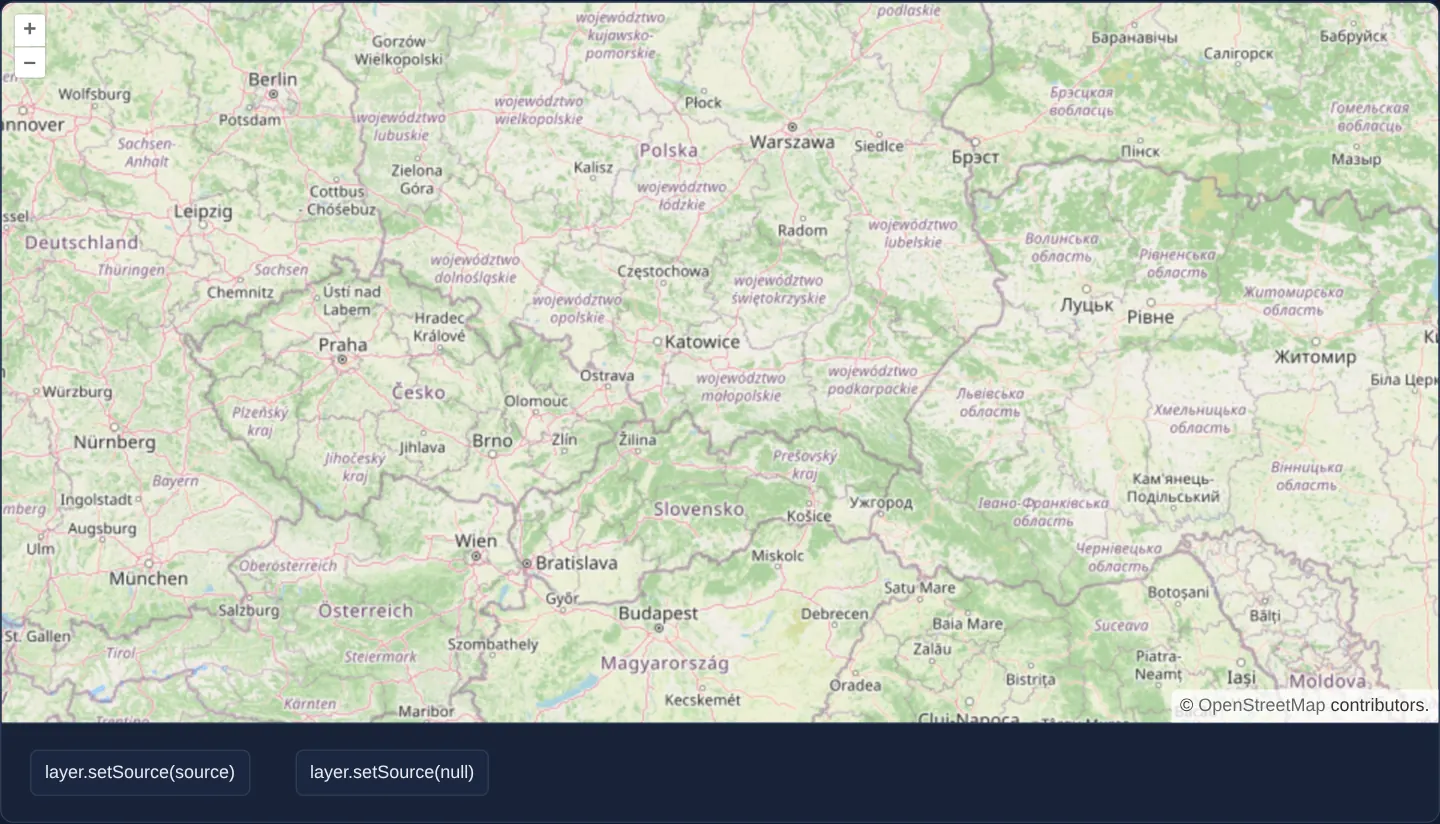
Centred on Kraków over southern Poland, a tile layer mounts inside the map from startup without an initial tile source—rendering an empty canvas until you click the button to attach the OpenStreetMap source, and clearing cleanly again when you detach it.
When you need it
Authenticated enterprise layers, user-selected thematic overlays and services dependent on runtime API tokens or capability documents often cannot construct their OpenLayers source synchronously when the map first mounts.
Mounting the placeholder layer in its exact template z-order up front—and attaching its source lazily once credentials or metadata resolve—preserves deterministic layer stacking without rebuilding surrounding layers.
The code
The example uses cc-openlayers, my Angular component library for OpenLayers: each aol-… element creates the OpenLayers object it names, updates it from its inputs and disposes of it with the component.
lazy-source.tsimport { ChangeDetectionStrategy, Component, signal } from '@angular/core';
import {
CoordinateComponent,
DefaultControlComponent,
DefaultInteractionComponent,
LayerTileComponent,
MapComponent,
SourceOsmComponent,
ViewComponent,
} from 'cc-openlayers';
/** A tile layer constructed without a source, which buttons set and unset afterwards. */
@Component({
selector: 'app-lazy-source',
imports: [
CoordinateComponent,
DefaultControlComponent,
DefaultInteractionComponent,
LayerTileComponent,
MapComponent,
SourceOsmComponent,
ViewComponent,
],
changeDetection: ChangeDetectionStrategy.OnPush,
template: `
<aol-map height="480px">
<aol-interaction-default />
<aol-control-defaults />
<aol-view [zoom]="6">
<aol-coordinate [x]="19.9368" [y]="50.0614" srid="EPSG:4326" />
</aol-view>
<aol-layer-tile>
@if (hasSource()) {
<aol-source-osm />
}
</aol-layer-tile>
</aol-map>
<div class="example-controls">
<button type="button" (click)="hasSource.set(true)">layer.setSource(source)</button>
<button type="button" (click)="hasSource.set(false)">layer.setSource(null)</button>
</div>
`,
})
export class LazySource {
readonly hasSource = signal(false);
} The React version uses the library's React adapter, cc-openlayers/react: each component creates the OpenLayers object it names when it mounts, updates it from its props and disposes of it when it unmounts.
lazy-source.react.tsximport { useState } from 'react';
import { Coordinate, DefaultControls, DefaultInteractions, Map, OSMSource, TileLayer, View } from 'cc-openlayers/react';
/** A tile layer constructed without a source, which buttons set and unset afterwards. */
export function LazySource() {
const [hasSource, setHasSource] = useState(false);
return (
<>
<Map height="480px">
<DefaultInteractions />
<DefaultControls />
<View zoom={6}>
<Coordinate x={19.9368} y={50.0614} srid="EPSG:4326" />
</View>
<TileLayer>{hasSource ? <OSMSource /> : null}</TileLayer>
</Map>
<div className="example-controls">
<button type="button" onClick={() => setHasSource(true)}>
layer.setSource(source)
</button>
<button type="button" onClick={() => setHasSource(false)}>
layer.setSource(null)
</button>
</div>
</>
);
}How the React version works
The tile layer is created without a source, and two buttons set and remove an OSM source. The source is a child of the layer that can come and go without the layer being created again.
What both versions share
OpenLayers renders the map and handles the interactions; the cc-openlayers/core layer gives both adapters the same view binding (MapViewBinding) and the same conversion of coordinates from EPSG:4326 to the map's projection.
From Angular to React
| Angular | React |
|---|---|
@if (hasSource()) { <aol-source-osm /> } | {hasSource ? <OSMSource /> : null} |
(click)="hasSource.set(true)" | onClick={() => setHasSource(true)} |
signal(false) | useState(false) |
Who creates, updates and disposes
Map creates the ol/Map in useLayoutEffect and disposes of it on unmount; each layer, source and interaction component adds its object to the parent it gets from context and removes it in its effect's cleanup, as ngOnDestroy does in Angular. Mounting OSMSource calls layer.setSource(source) and unmounting it layer.setSource(null); the layer stays the same.
Architecture and OpenLayers mechanics
An aol-layer-tile without a child source initialises a valid OpenLayers TileLayer whose source is null, participating harmlessly in the layer stack while drawing nothing. Wrapping aol-source-osm inside Angular’s @if (or conditional JSX in React) calls layer.setSource(source) when the condition turns true and layer.setSource(null)—plus clean source disposal—when the condition turns false.
How it works
aol-layer-tilemounts safely without a child source and renders nothing until one is attached.- Toggling
@ifaroundaol-source-osmattaches the source via OpenLayers’setSourceand resets it to null on removal. - Action buttons below the map mirror the underlying
layer.setSource(source)andlayer.setSource(null)lifecycle transitions.
Pitfalls
- Re-entering an
@ifblock instantiates a fresh OpenLayers source with an empty in-memory tile cache, so tiles are re-decoded on re-attach even when the browser HTTP cache avoids network re-downloads; toggle the layer’s visible input instead if you only want to hide and show the same source repeatedly. - Layer z-order is determined by where
aol-layer-tilesits in the template, not by how late its child source arrives.
Related examples
The same feature in the OpenLayers examples .
Background: state and lifecycle of maps in Angular with OpenLayers, which the components of cc-openlayers take care of.