Essentials · Angular, React and OpenLayers
A map for keyboard and screen reader users
Build a WCAG-accessible OpenLayers map for keyboard and screen reader users with ARIA naming, Tab focus, arrow-key panning and external zoom buttons.
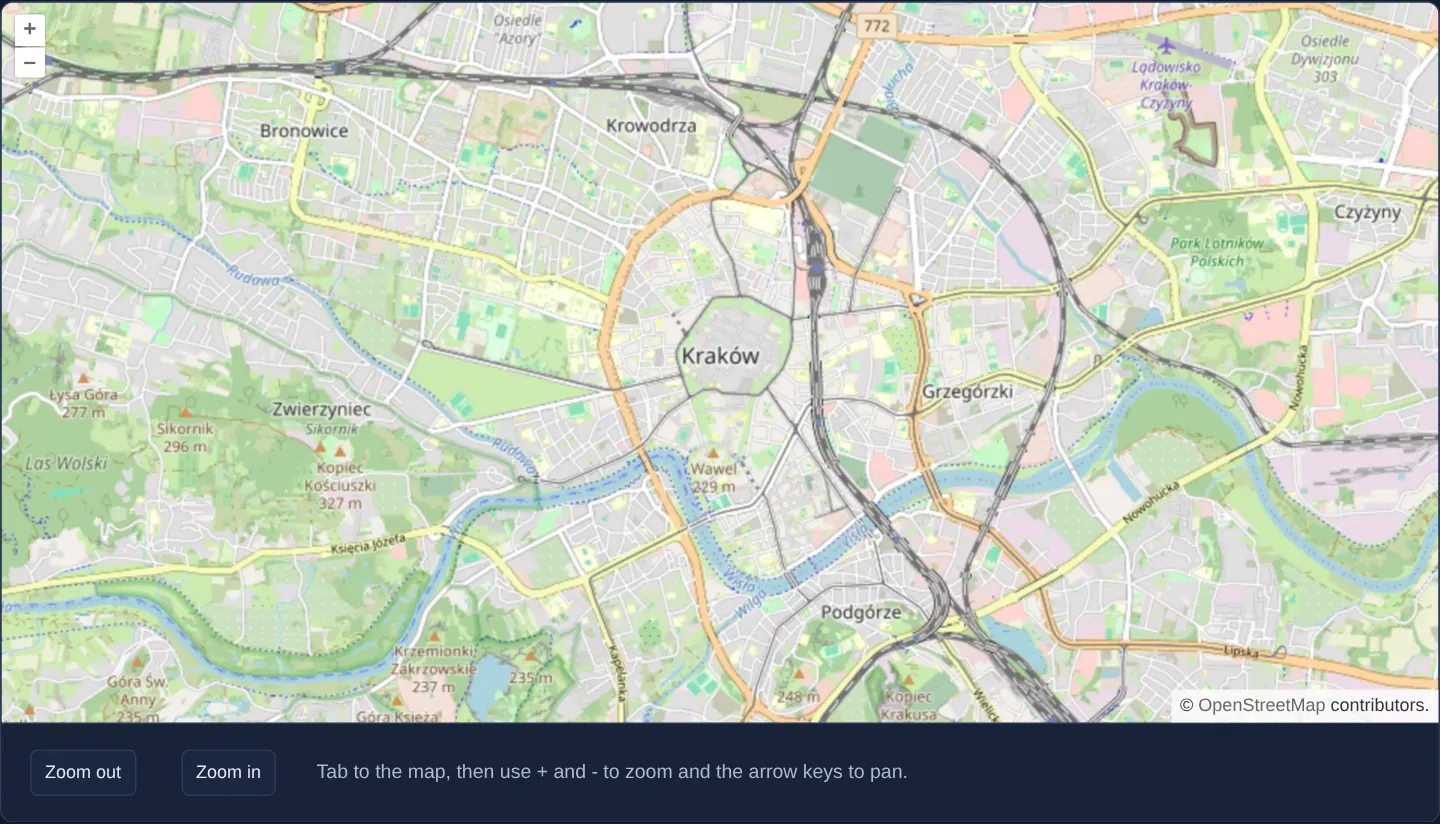
What this example shows
A street map of central Kraków is configured as a keyboard-focusable landmark named for assistive technologies, paired with accessible Zoom out and Zoom in buttons and a concise keyboard-shortcut hint directly below the viewport.
Pressing Tab focuses the map canvas so arrow keys pan across streets and +/− keys adjust scale, while tabbing one step further reaches standard HTML buttons that adjust the exact same live zoom level.
When you need it
Public-sector geoportals and commercial web applications covered by WCAG 2.1 AA and the European Accessibility Act must let keyboard-only and screen-reader users identify, navigate and control interactive maps without a mouse or multi-touch screen.
Out of the box, an unnamed canvas element is opaque to assistive technologies and unreachable in keyboard tab order unless its host container exposes explicit focusability, semantic ARIA labels and clear keyboard affordances.
The code
The example uses cc-openlayers, my Angular component library for OpenLayers: each aol-… element creates the OpenLayers object it names, updates it from its inputs and disposes of it with the component.
accessible.tsimport { ChangeDetectionStrategy, Component, viewChild } from '@angular/core';
import {
CoordinateComponent,
DefaultControlComponent,
DefaultInteractionComponent,
LayerTileComponent,
MapComponent,
SourceOsmComponent,
ViewComponent,
} from 'cc-openlayers';
/** A keyboard-operable map: it takes focus, answers + - and the arrow keys, and has zoom buttons below it. */
@Component({
selector: 'app-accessible',
imports: [
CoordinateComponent,
DefaultControlComponent,
DefaultInteractionComponent,
LayerTileComponent,
MapComponent,
SourceOsmComponent,
ViewComponent,
],
changeDetection: ChangeDetectionStrategy.OnPush,
template: `
<aol-map height="480px" ariaLabel="Map of Kraków">
<aol-interaction-default />
<aol-control-defaults />
<aol-view [zoom]="13">
<aol-coordinate [x]="19.9368" [y]="50.0614" srid="EPSG:4326" />
</aol-view>
<aol-layer-tile><aol-source-osm /></aol-layer-tile>
</aol-map>
<div class="example-controls">
<button type="button" (click)="zoomBy(-1)">Zoom out</button>
<button type="button" (click)="zoomBy(1)">Zoom in</button>
<p class="example-hint">Tab to the map, then use + and - to zoom and the arrow keys to pan.</p>
</div>
`,
})
export class Accessible {
private readonly view = viewChild.required(ViewComponent);
/** From the zoom the map shows, which the keyboard and the wheel change too. */
protected zoomBy(delta: number): void {
const view = this.view().instance;
view.setZoom((view.getZoom() ?? 13) + delta);
}
} The React version uses the library's React adapter, cc-openlayers/react: each component creates the OpenLayers object it names when it mounts, updates it from its props and disposes of it when it unmounts.
accessible.react.tsximport { useRef } from 'react';
import type OLView from 'ol/View.js';
import { Coordinate, DefaultControls, DefaultInteractions, Map, OSMSource, TileLayer, View } from 'cc-openlayers/react';
/** A keyboard-operable map: it takes focus, answers + - and the arrow keys, and has zoom buttons below it. */
export function Accessible() {
const view = useRef<OLView>(null);
/** From the zoom the map shows, which the keyboard and the wheel change too. */
const zoomBy = (delta: number) => {
const current = view.current;
current?.setZoom((current.getZoom() ?? 13) + delta);
};
return (
<>
<Map height="480px" ariaLabel="Map of Kraków">
<DefaultInteractions />
<DefaultControls />
<View ref={view} zoom={13}>
<Coordinate x={19.9368} y={50.0614} srid="EPSG:4326" />
</View>
<TileLayer>
<OSMSource />
</TileLayer>
</Map>
<div className="example-controls">
<button type="button" onClick={() => zoomBy(-1)}>
Zoom out
</button>
<button type="button" onClick={() => zoomBy(1)}>
Zoom in
</button>
<p className="example-hint">Tab to the map, then use + and - to zoom and the arrow keys to pan.</p>
</div>
</>
);
}How the React version works
The map of Kraków takes focus (Tab), responds to +, - and the arrow keys, has a name for screen readers (“Map of Kraków”) and two buttons below it that change the zoom by one level from the one the map shows. It is the smallest example in which the application reaches a live OpenLayers object from outside the map declaration.
What both versions share
OpenLayers renders the map and handles the interactions; the cc-openlayers/core layer gives both adapters the same view binding (MapViewBinding) and the same conversion of coordinates from EPSG:4326 to the map's projection. Map gives the viewport tabIndex={0} and its aria-label in both adapters; OpenLayers' default interactions handle the keys.
From Angular to React
| Angular | React |
|---|---|
<aol-map height="480px" ariaLabel="…"> | <Map height="480px" ariaLabel="…"> |
<aol-interaction-default />, <aol-control-defaults /> | <DefaultInteractions />, <DefaultControls /> |
<aol-view [zoom]="13"> + <aol-coordinate> | <View zoom={13}> + <Coordinate> |
viewChild.required(ViewComponent) and .instance | useRef<OLView>(null) passed to View as ref: the ref points to the ol/View itself, so there is no .instance |
(click)="zoomBy(1)" | onClick={() => zoomBy(1)} |
| a template inside the component's host element | a fragment <>…</> without an extra element |
Who creates, updates and disposes
Map creates the ol/Map in useLayoutEffect and disposes of it on unmount; each layer, source and interaction component adds its object to the parent it gets from context and removes it in its effect's cleanup, as ngOnDestroy does in Angular. The prop zoom={13} sets only the initial state: later renders with the same value do not undo a zoom changed by the buttons, the wheel or the keyboard, because the binding updates the view only when the prop changes. The buttons keep no React state: they read the current zoom from the OpenLayers view when clicked, as the Angular version does.
Architecture and OpenLayers mechanics
Setting ariaLabel="Map of Kraków" gives screen readers a meaningful announcement when focus lands on the map host, which aol-map renders with tabindex 0; role, role description and description stay unset unless the page passes them. While the map holds focus, OpenLayers’ built-in keyboard pan and keyboard zoom handlers inside aol-interaction-default respond to arrow keys and +/− keys.
External HTML buttons participate in the normal page Tab sequence and call zoomBy, which reads the view’s current zoom and applies a delta rather than writing a fixed zoom, so the buttons stay synchronised with wheel, pinch and keyboard zoom changes.
How it works
ariaLabel="Map of Kraków"provides an accessible name for the focusable map container exposed in the page’s Tab order.- Once focused, keyboard interactions bundled in
aol-interaction-defaultpan the view with arrow keys and zoom in or out with + and −. - Standard HTML buttons below the viewport invoke
zoomBy, which applies a delta to the view’s current zoom, so mouse, keyboard and button zooms stay in sync. - The visible hint below the map names the keys that move it, so the interaction is discoverable without trial and error.
Pitfalls
- Screen readers cannot inspect street names or vector shapes painted onto an HTML5 canvas: always pair accessible map controls with textual summaries, search results or tabular alternatives for critical spatial facts.
- Calling
setZoomjumps instantaneously, whereas animated adjustZoom transitions should stay brief and respect prefers-reduced-motion user preferences. - Ensure CSS focus outlines (:focus-visible) remain clearly visible around the map frame so sighted keyboard users know when arrow keys control the map.
Related examples
The same feature in the OpenLayers examples .
Background: state and lifecycle of maps in Angular with OpenLayers, which the components of cc-openlayers take care of.