Essentials · Angular, React and OpenLayers
Move a map to another element
Move a live OpenLayers map instance between two DOM containers with setTarget while preserving its camera view, tile cache and map state.
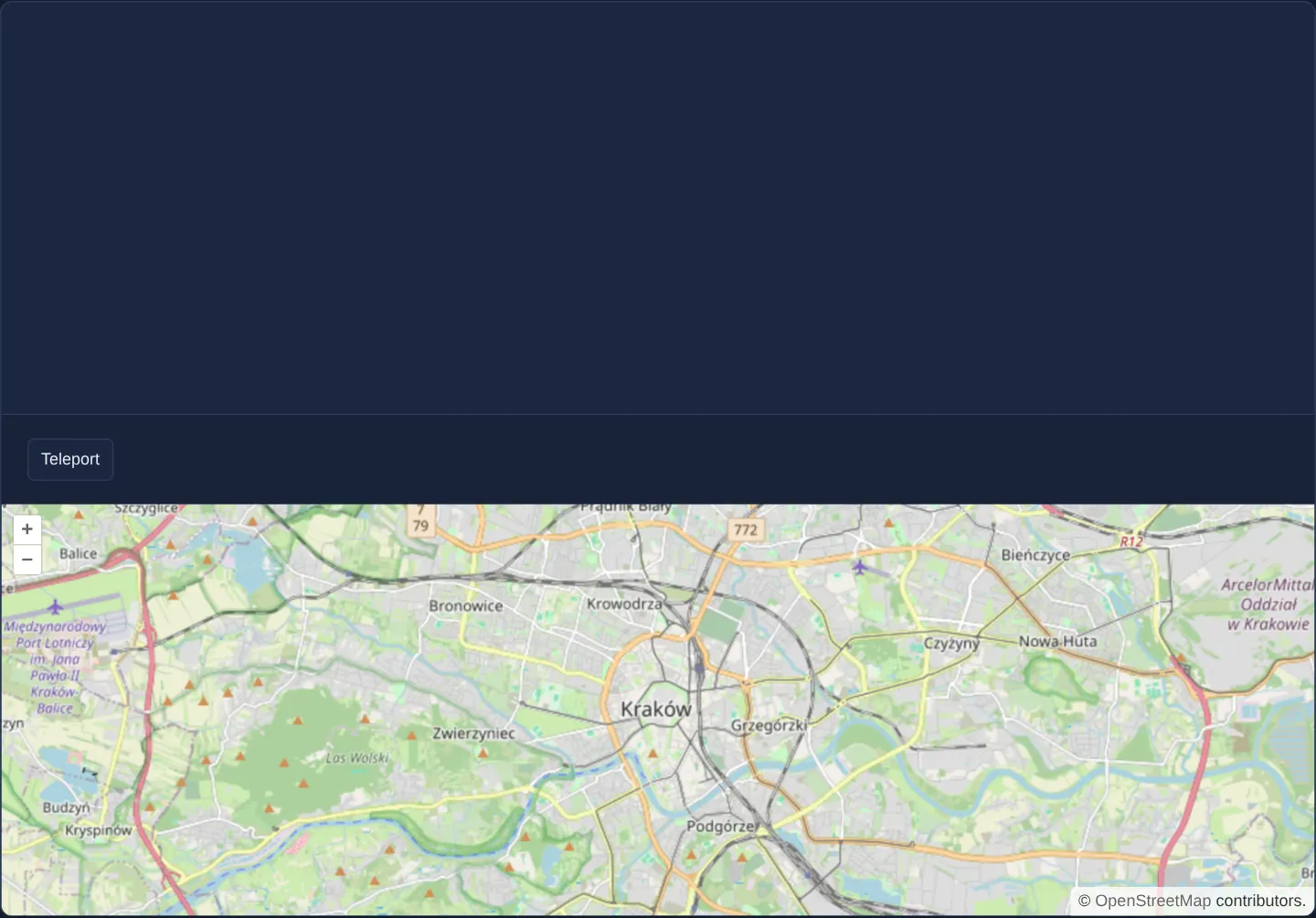
What this example shows
A street map of central Kraków starts inside an upper container while a second sized placeholder box sits empty beneath the Teleport action button. Clicking Teleport detaches the live OpenLayers viewport from the upper host and mounts it instantly inside the lower box—and back again on the next click—without losing zoom, pan position or loaded tiles.
When you need it
Responsive enterprise apps frequently move a single map between a compact sidebar preview, a maximised modal dialog, a split-screen inspection layout or a dedicated print-preview frame.
Destroying one map and instantiating a second copy loses transient draw sketches, re-downloads tiles and forces fragile state synchronisation; moving the single OpenLayers viewport element via setTarget preserves everything in place.
The code
The example uses cc-openlayers, my Angular component library for OpenLayers: each aol-… element creates the OpenLayers object it names, updates it from its inputs and disposes of it with the component.
teleport.tsimport { ChangeDetectionStrategy, Component, type ElementRef, viewChild } from '@angular/core';
import {
CoordinateComponent,
DefaultControlComponent,
DefaultInteractionComponent,
LayerTileComponent,
MapComponent,
SourceOsmComponent,
ViewComponent,
} from 'cc-openlayers';
/** One map moved between two frames: Teleport gives the same map, with its view and layers, the other frame. */
@Component({
selector: 'app-teleport',
imports: [
CoordinateComponent,
DefaultControlComponent,
DefaultInteractionComponent,
LayerTileComponent,
MapComponent,
SourceOsmComponent,
ViewComponent,
],
changeDetection: ChangeDetectionStrategy.OnPush,
template: `
<aol-map height="300px">
<aol-interaction-default />
<aol-control-defaults />
<aol-view [zoom]="12">
<aol-coordinate [x]="19.9373" [y]="50.0617" srid="EPSG:4326" />
</aol-view>
<aol-layer-tile><aol-source-osm /></aol-layer-tile>
</aol-map>
<div class="example-controls">
<button type="button" id="teleport" (click)="teleport()">Teleport</button>
</div>
<div id="map2" #second style="height: 300px"></div>
`,
})
export class Teleport {
private readonly map = viewChild.required(MapComponent);
private readonly second = viewChild.required<ElementRef<HTMLElement>>('second');
/** The frame the map component gave the map. */
private first?: HTMLElement;
protected teleport(): void {
const map = this.map().instance;
this.first ??= map.getTargetElement();
map.setTarget(map.getTargetElement() === this.first ? this.second().nativeElement : this.first);
}
} The React version uses the library's React adapter, cc-openlayers/react: each component creates the OpenLayers object it names when it mounts, updates it from its props and disposes of it when it unmounts.
teleport.react.tsximport { useRef } from 'react';
import type OLMap from 'ol/Map.js';
import { Coordinate, DefaultControls, DefaultInteractions, Map, OSMSource, TileLayer, View } from 'cc-openlayers/react';
/** One map moved between two frames: Teleport gives the same map, with its view and layers, the other frame. */
export function Teleport() {
const map = useRef<OLMap>(null);
const second = useRef<HTMLDivElement>(null);
/** The frame the map component gave the map. */
const first = useRef<HTMLElement>(undefined);
const teleport = () => {
const current = map.current;
const other = second.current;
if (!current || !other) return;
first.current ??= current.getTargetElement() as HTMLElement;
current.setTarget(current.getTargetElement() === first.current ? other : first.current);
};
return (
<>
<Map ref={map} height="300px">
<DefaultInteractions />
<DefaultControls />
<View zoom={12}>
<Coordinate x={19.9373} y={50.0617} srid="EPSG:4326" />
</View>
<TileLayer>
<OSMSource />
</TileLayer>
</Map>
<div className="example-controls">
<button type="button" id="teleport" onClick={teleport}>
Teleport
</button>
</div>
<div id="map2" ref={second} style={{ height: 300 }}></div>
</>
);
}How the React version works
The “Teleport” button moves the same map to a second frame on the page and back. The map keeps its view and layers, because only its target element changes (setTarget).
What both versions share
OpenLayers renders the map and handles the interactions; the cc-openlayers/core layer gives both adapters the same view binding (MapViewBinding) and the same conversion of coordinates from EPSG:4326 to the map's projection.
From Angular to React
| Angular | React |
|---|---|
viewChild.required<ElementRef>('second') | useRef<HTMLDivElement>(null) on the second frame |
viewChild.required(MapComponent).instance.setTarget(...) | map.current?.setTarget(...) through the Map ref |
(click)="teleport()" | onClick={teleport} |
Who creates, updates and disposes
Map creates the ol/Map in useLayoutEffect and disposes of it on unmount; each layer, source and interaction component adds its object to the parent it gets from context and removes it in its effect's cleanup, as ngOnDestroy does in Angular. React does not know about the move, because no state changes; on unmount Map disposes of the map whichever element holds it.
Architecture and OpenLayers mechanics
OpenLayers decouples its internal viewport DOM tree and canvas buffers from the outer host element. Before moving for the first time, the component records the original host created by aol-map via getTargetElement(), reads the alternate template div via viewChild, and calls setTarget to reparent the live viewport and automatically recalculate its pixel size.
How it works
setTargetreparents the live OpenLayers viewport into another DOM element and triggers an immediate size measurement.getTargetElement()captures the initial container created byaol-mapso subsequent clicks can move the map back home.- The destination slot is a standard template
divqueried cleanly via AngularviewChild(or a React ref).
Pitfalls
- Even while displayed inside another DOM container, the host Angular or React component still owns the map lifecycle—destroying that component disposes of the map wherever its viewport currently lives.
- Ensure the target container has an explicit non-zero height (such as
style="height: 300px") before callingsetTarget, otherwise the teleported map measures 0 pixels high and disappears.
Related examples
The same feature in the OpenLayers examples .
Background: state and lifecycle of maps in Angular with OpenLayers, which the components of cc-openlayers take care of.