Controls · Angular, React and OpenLayers
A custom control: rotate to north
Wrap Angular or React markup inside an OpenLayers Control to build an auto-hiding north-arrow button synchronized with live view rotation.
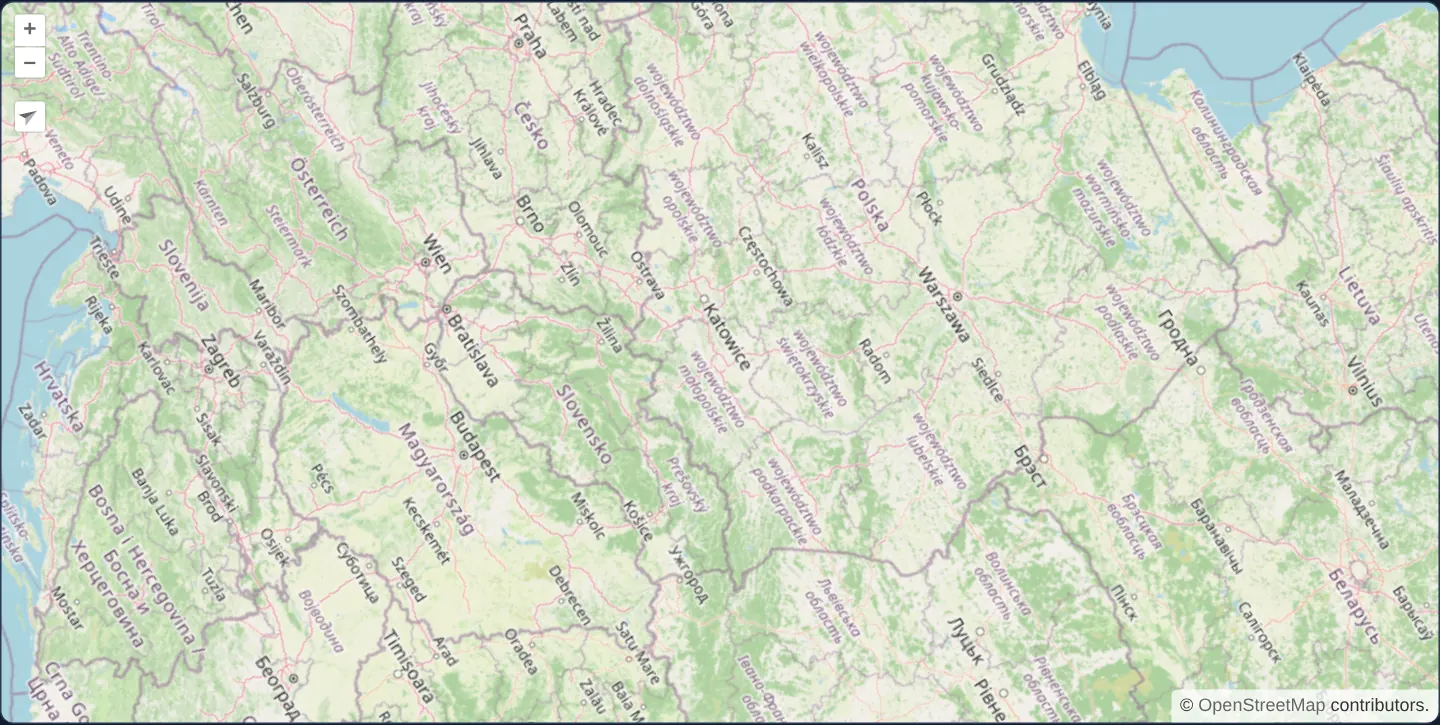
What this example shows
A street map of central Europe opens rotated roughly 57 degrees clockwise, displaying a custom north-arrow button tucked directly beneath the standard +/− zoom buttons. As you spin the map further with Alt+Shift+drag or touch gestures, the arrow icon rotates live to keep pointing toward true map north.
Clicking the custom button animates the camera smoothly back to north-up over 250 milliseconds and automatically hides the button once rotation reaches zero.
When you need it
Almost every production WebGIS needs custom on-map buttons—locate-me pins, 3D tilt toggles, drawing toolbars or bespoke compass indicators—that look native beside OpenLayers’ zoom buttons while using full Angular or React templates and signals.
Mounting UI inside an OpenLayers Control container ensures pointer clicks and double-taps on your button never leak through to trigger accidental map pans or zooms underneath.
The code
The example uses cc-openlayers, my Angular component library for OpenLayers: each aol-… element creates the OpenLayers object it names, updates it from its inputs and disposes of it with the component.
custom-controls.tsimport { ChangeDetectionStrategy, Component, signal, viewChild } from '@angular/core';
import {
ContentComponent,
ControlComponent,
CoordinateComponent,
DefaultControlComponent,
DefaultInteractionComponent,
LayerTileComponent,
MapComponent,
SourceOsmComponent,
ViewComponent,
} from 'cc-openlayers';
/** The rotation the map starts with, in radians. */
const START_ROTATION = 1;
/**
* A rotated map with a custom "rotate to north" control in place of the default one: its north arrow turns with the
* map, and it hides while the map points north.
*/
@Component({
selector: 'app-custom-controls',
imports: [
ContentComponent,
ControlComponent,
CoordinateComponent,
DefaultControlComponent,
DefaultInteractionComponent,
LayerTileComponent,
MapComponent,
SourceOsmComponent,
ViewComponent,
],
changeDetection: ChangeDetectionStrategy.OnPush,
template: `
<aol-map height="480px">
<aol-interaction-default />
<aol-control-defaults [rotate]="false" />
<aol-control>
<aol-content>
<div class="rotate-north ol-unselectable ol-control" [class.ol-hidden]="rotation() === 0">
<button type="button" title="Rotate to north" (click)="rotateNorth()">
<svg
xmlns="http://www.w3.org/2000/svg"
viewBox="0 0 24 24"
fill="currentColor"
[style.transform]="'rotate(' + rotation() + 'rad)'"
>
<path d="M12 2 5 21l7-4z" />
<path d="M12 2l7 19-7-4z" opacity=".5" />
</svg>
</button>
</div>
</aol-content>
</aol-control>
<aol-view [zoom]="6" [rotation]="startRotation" (changeRotation)="followRotation()">
<aol-coordinate [x]="19.9368" [y]="50.0614" srid="EPSG:4326" />
</aol-view>
<aol-layer-tile><aol-source-osm /></aol-layer-tile>
</aol-map>
`,
})
export class CustomControls {
protected readonly startRotation = START_ROTATION;
protected readonly rotation = signal(START_ROTATION);
private readonly map = viewChild.required(MapComponent);
protected followRotation(): void {
this.rotation.set(this.map().instance.getView().getRotation());
}
protected rotateNorth(): void {
this.map().instance.getView().animate({ rotation: 0, duration: 250 });
}
} The React version uses the library's React adapter, cc-openlayers/react: each component creates the OpenLayers object it names when it mounts, updates it from its props and disposes of it when it unmounts.
custom-controls.react.tsximport { useCallback, useRef, useState } from 'react';
import type OLMap from 'ol/Map.js';
import {
Coordinate,
CustomControl,
DefaultControls,
DefaultInteractions,
Map,
OSMSource,
TileLayer,
View,
} from 'cc-openlayers/react';
/** The rotation the map starts with, in radians. */
const START_ROTATION = 1;
/**
* A rotated map with a custom "rotate to north" control in place of the default one: its north arrow turns with the
* map, and it hides while the map points north.
*/
export function CustomControls() {
const map = useRef<OLMap>(null);
const [rotation, setRotation] = useState(START_ROTATION);
const followRotation = useCallback(() => {
const view = map.current?.getView();
if (view) setRotation(view.getRotation());
}, []);
const rotateNorth = () => {
map.current?.getView().animate({ rotation: 0, duration: 250 });
};
return (
<Map ref={map} height="480px">
<DefaultInteractions />
<DefaultControls rotate={false} />
<CustomControl>
<div className={`rotate-north ol-unselectable ol-control${rotation === 0 ? ' ol-hidden' : ''}`}>
<button type="button" title="Rotate to north" onClick={rotateNorth}>
<svg
xmlns="http://www.w3.org/2000/svg"
viewBox="0 0 24 24"
fill="currentColor"
style={{ transform: `rotate(${rotation}rad)` }}
>
<path d="M12 2 5 21l7-4z" />
<path d="M12 2l7 19-7-4z" opacity=".5" />
</svg>
</button>
</div>
</CustomControl>
<View zoom={6} rotation={START_ROTATION} onChangeRotation={followRotation}>
<Coordinate x={19.9368} y={50.0614} srid="EPSG:4326" />
</View>
<TileLayer>
<OSMSource />
</TileLayer>
</Map>
);
}How the React version works
The map starts rotated, and instead of the default rotate control it has its own: its arrow turns with the map, its button points the map north in a quarter of a second, and at north the control hides.
What both versions share
OpenLayers renders the map and handles the interactions; the cc-openlayers/core layer gives both adapters the same view binding (MapViewBinding) and the same conversion of coordinates from EPSG:4326 to the map's projection.
From Angular to React
| Angular | React |
|---|---|
<aol-control> with <aol-content> | <CustomControl> with the control's element as its child |
[class.ol-hidden]="rotation() === 0" | a class composed in className |
(changeRotation) on aol-view | onChangeRotation on View |
<aol-control-defaults [rotate]="false"> | <DefaultControls rotate={false} /> |
Who creates, updates and disposes
Map creates the ol/Map in useLayoutEffect and disposes of it on unmount; each layer, source and interaction component adds its object to the parent it gets from context and removes it in its effect's cleanup, as ngOnDestroy does in Angular. The control is a child of Map, as in the Angular template; the adapter adds it to the map and removes it on unmount. The control's content reaches its element through a React portal.
Architecture and OpenLayers mechanics
aol-control wraps an aol-content projection slot inside an OpenLayers Control instance and reparents its DOM node into OpenLayers’ overlay control container—shielding clicks from map interactions while keeping live Angular/React bindings active.
Applying ol-control, ol-unselectable and rotate-north matches built-in control chrome. Listening to (changeRotation) on the view updates a rotation signal on every animation frame to spin the arrow transform, [class.ol-hidden] hides the control when rotation equals 0, and [rotate]="false" suppresses the duplicate built-in rotate widget.
How it works
aol-controlandaol-contentproject reactive component markup into OpenLayers’ event-isolated control layer as a nativeControl.ol-control,ol-unselectableandrotate-northclasses match built-in control styling and position the button below the zoom bar.(changeRotation)streams live view rotation—including intermediate animation frames—into a signal that rotates the north arrow.[class.ol-hidden]hides the control at 0 radians, while clicking animates rotation back to north over 250 ms.
Pitfalls
- Disable OpenLayers’ built-in compass via
[rotate]="false"on default controls whenever mounting a custom north control so two compass buttons do not appear simultaneously. - Always set explicit
type="button"on custom control button elements so clicking a map button inside a form never triggers an accidental form submission.
Related examples
The same feature in the OpenLayers examples .
Background: state and lifecycle of maps in Angular with OpenLayers, which the components of cc-openlayers take care of.